
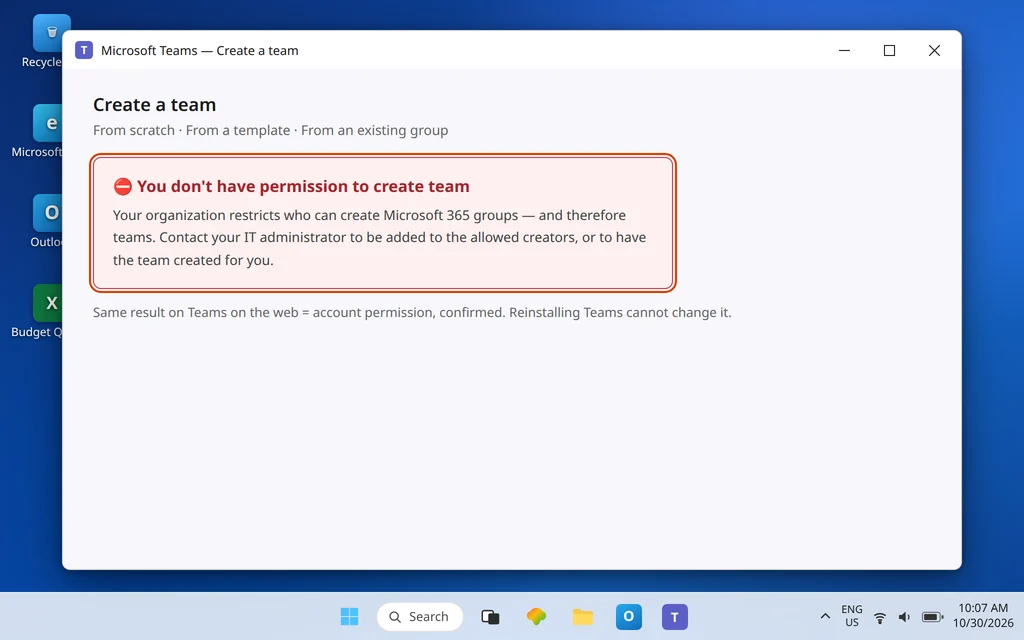
Microsoft Teams Cannot Create a New Team — Permission Denied
You go to create a team for a new project and Teams stops you: “you don’t have permission to create team” — or, in the quieter version of the same problem, the Create team options are simply not there at all. No setting inside your Teams app fixes this, because the permission does not live in Teams. This guide explains where it actually lives, how to tell whether the block applies to you personally or to everyone, what to ask your admin for (in the exact terms they will recognize), and the workarounds that get your project a team today even while the restriction stays in place.
One reassurance first: in the large majority of cases, nothing is broken and nobody singled you out. Creating a team is restricted on purpose in many organizations, for a sensible reason — every team creates a whole Microsoft 365 group behind it, with storage and membership that lives forever until someone cleans it up.
Quick Answer: Creating a team creates a Microsoft 365 group, so team creation is governed by the Microsoft 365 groups creation setting in Microsoft Entra ID — not by a per-user switch in Teams. By default everyone can create groups; if your organization restricted it, only members of one chosen security group can. You cannot grant yourself the permission. Your options: ask an admin to add you to that allowed-creators group, ask an admin (or an allowed colleague) to create the team and make you its owner, or — if you already own a suitable Microsoft 365 group — try creating the team from that existing group.
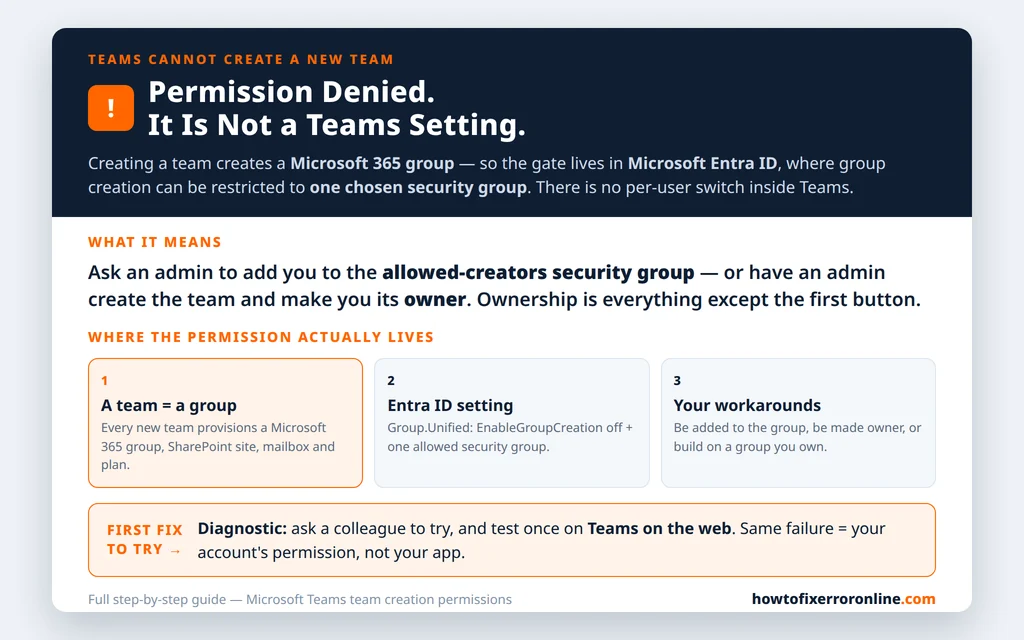
Table of Contents
What the error actually means: a team is a Microsoft 365 group
Microsoft Learn’s documentation on managing group creation states the foundation plainly: by default, all users can create Microsoft 365 groups — and when an organization chooses to restrict that, it restricts it to the members of a particular security group. The same article lists what the restriction affects: Outlook, SharePoint, Viva Engage, Microsoft Teams, Planner, Power BI (classic), and Project for the web — every service that relies on Microsoft 365 groups.
That is the whole puzzle solved. A “team” is not just a chat space: creating one provisions a Microsoft 365 group, a SharePoint site, a group mailbox and calendar, and a Planner plan. So the gate is placed on group creation, centrally, and Teams simply inherits it. This is also why you will not find a “let this user create teams” toggle in the Teams admin center or in your own settings — the control is the Entra ID directory setting for groups, described in Fix 3. Anyone who sends you hunting for a Teams checkbox is sending you to a place that does not exist.
Fix 1 — Work out whether it is just you, or everyone
Before asking anyone for anything, gather the two facts your admin will ask about anyway:
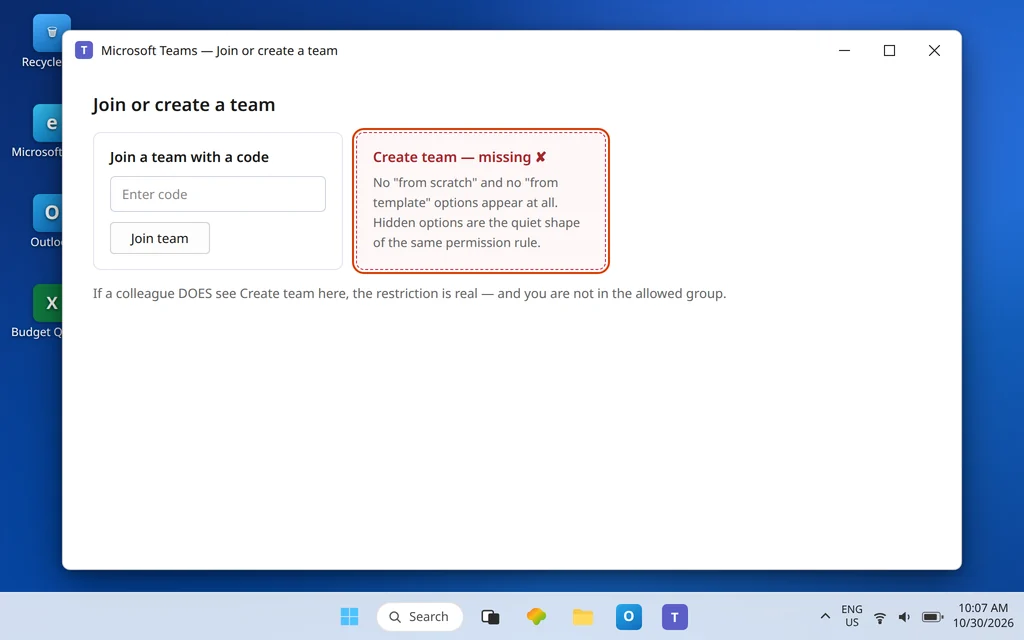
- Note your exact symptom. Is it the explicit error — “you don’t have permission to create team”? Or is Create team missing entirely, with the “from scratch” and “from template” options never appearing? Microsoft Q&A threads on this error confirm both shapes come from the same permission layer — the options are hidden when the user lacks the permission.
- Ask a colleague to try. If a colleague in a similar role can create a team and you cannot, the restriction is real and you are simply not in the allowed group — go to Fix 2. If nobody can create a team, including people who could last week, say so when you report it: a tenant-wide failure is a different conversation (a recent setting change, or a service problem) than one person’s membership.
- Try Teams on the web (teams.microsoft.com) once. If creation fails identically there, it is not your desktop app — it is your account’s permission, exactly as suspected. Do not spend an afternoon reinstalling Teams for an account-level rule.
A separate error deserves its own branch: “We couldn’t complete that action.” That message also appears during team creation in Q&A reports, sometimes affecting many accounts at once, and it behaves like a transient failure rather than a permission verdict. If that is your message, wait, retry later, and check whether colleagues hit it too — and only treat it as this article’s permission problem if it hardens into the explicit permission error or the missing options.
Fix 2 — The workaround that works today: someone allowed creates it, you own it
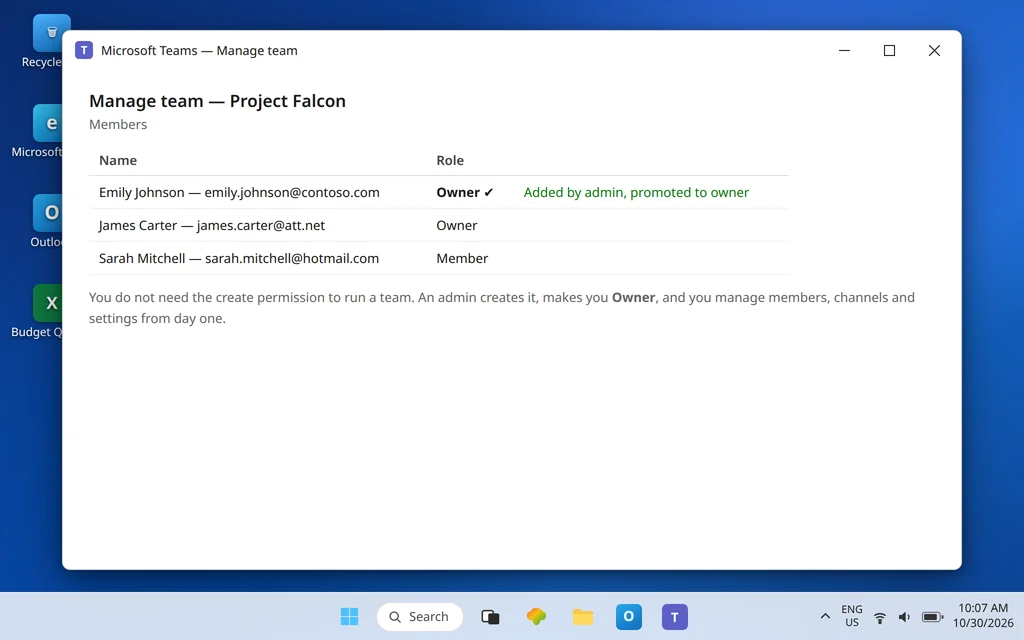
You do not need the create permission to run a team. Ownership and creation are separate things, so the practical path is:
- Ask an admin or an allowed colleague to create the team with the name and privacy you need (private, unless it should be discoverable).
- Have them add you and make you an owner immediately. As owner, you can add members, create channels, and manage everything day to day — the full job, minus having pressed the first button. (Adding people once you own the team is covered in Microsoft Teams Cannot Add Members for the cases where that step fights back.)
- Agree a second owner while you are at it, so the team is never orphaned by one person’s absence.
Why this is legitimate and not a loophole: Microsoft Learn documents exactly this pattern from the admin side — admins in certain roles can create Microsoft 365 groups for restricted users and then assign the user as the owner of the group. It is the intended workflow under a restriction, not a hack around one.
Fix 3 — The admin fix: the Entra ID group-creation setting (what to ask for)
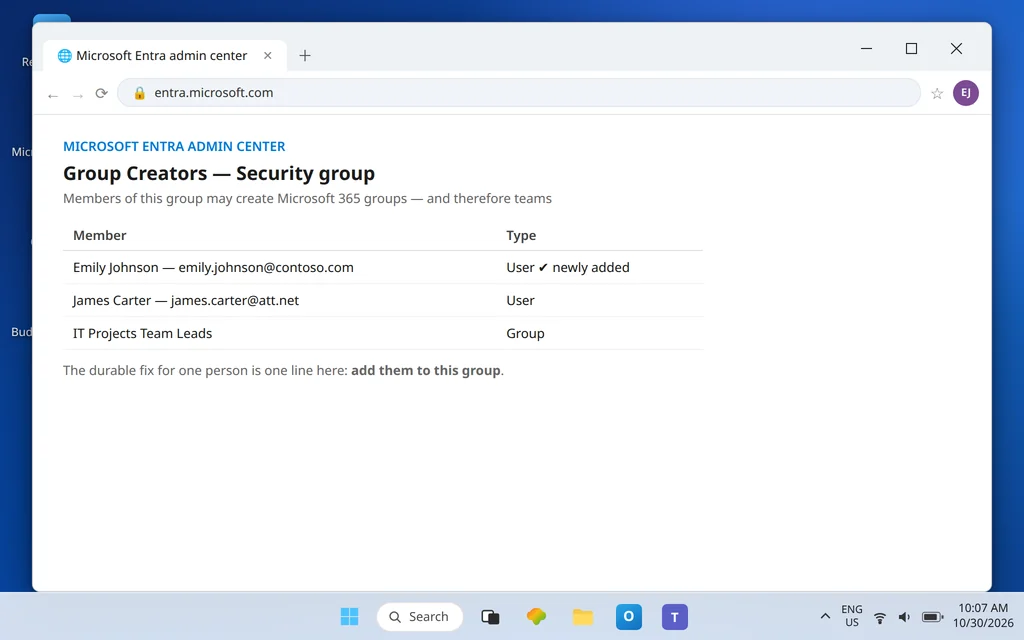
If your role genuinely involves spinning up teams — projects, classes, client work — the durable fix is membership of the allowed-creators group. Give your admin this paragraph; it names the real control:
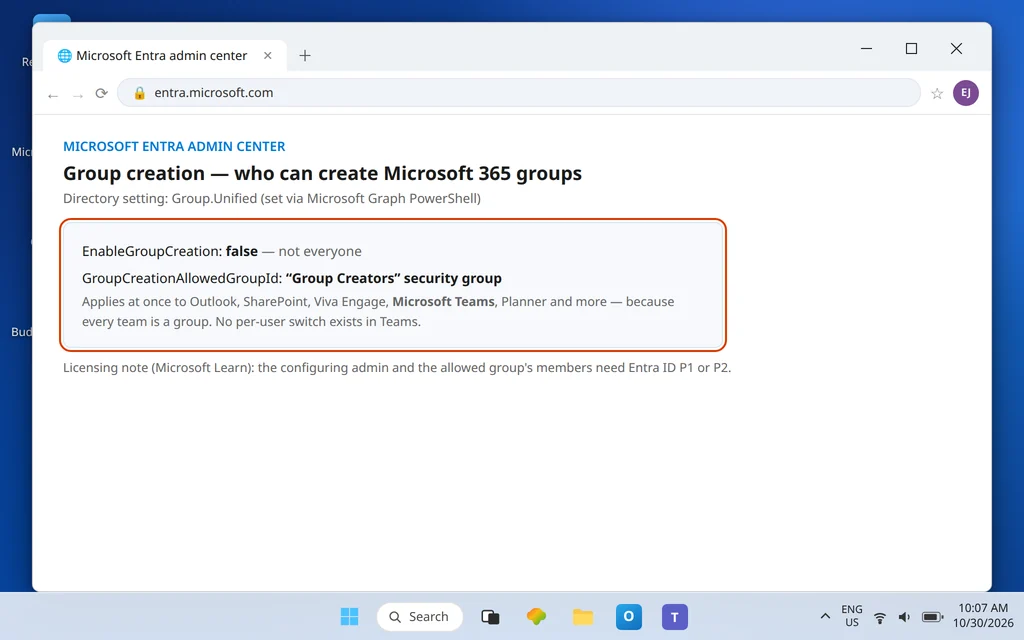
Team creation is governed by Microsoft Learn’s “Manage who can create Microsoft 365 Groups” setting in Microsoft Entra ID. The admin:
- Creates (or reuses) a security group in the Entra admin center for people allowed to create groups — for example, “Group Creators.”
- Sets the Group.Unified directory setting so that EnableGroupCreation is false for everyone, with GroupCreationAllowedGroupId pointing at that security group’s object ID. Microsoft provides this through Microsoft Graph PowerShell; there is no simple per-user switch elsewhere, which is why it cannot be fixed from inside Teams.
- Adds you to that security group.
Two honest details from the same Learn article that set expectations:
- Licensing: the admin configuring the setting, and the members of the allowed group, need a Microsoft Entra ID P1 or P2 license (or Entra Basic EDU). Restricted users do not. If your request stalls on licensing, this is probably why.
- Admin roles keep their own doors: the restriction cannot stop members of certain admin roles from creating groups through their admin tools — for example, a Global Admin can create via the Microsoft 365 admin center and other admin surfaces (though notably not via Teams itself), and a Teams Service Administrator via the Teams admin center and Entra ID. That is precisely why Fix 2 works: your admin’s route stays open even while yours is closed.
If your admin says “creation is open to everyone here,” then the setting is not your problem — return to Fix 1’s evidence (exact message, colleague test, web test) and treat it as an account or service issue to escalate with those specifics.
Fix 4 — Already own a Microsoft 365 group? Try building the team on it
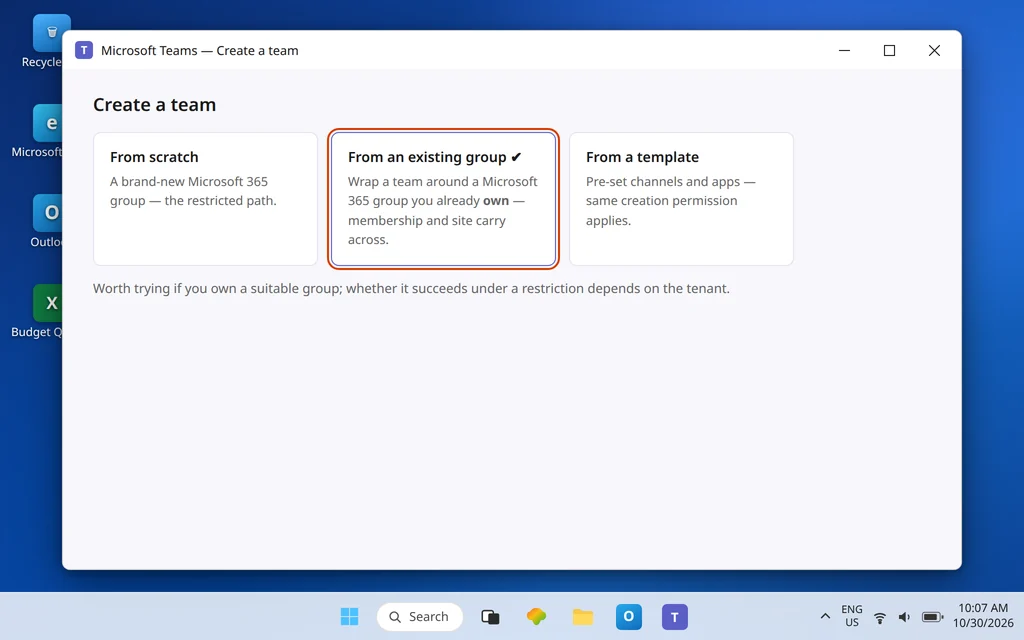
Teams offers a second creation path: Create team > From an existing group, which wraps a team around a Microsoft 365 group that already exists — with its membership, mailbox, and SharePoint site already in place. If you are the owner of such a group (a project group created earlier in Outlook or Planner, for example), try this path before filing any requests. Be honest about the odds: it depends on your tenant’s configuration whether this succeeds under a restriction, so treat it as a quick, legitimate attempt — and if it is blocked too, Fix 2 remains the reliable route. Do not create junk groups in other apps hoping to sneak around the restriction; admins see group creation centrally, and the restriction in Fix 3 covers those services as well.
Fix 5 — Check the boring blockers before escalating
A short list worth ruling out, because each produces a “cannot create” experience that is not the Entra setting:
- You are signed in as a guest or with the wrong account. Guests cannot create teams. Check the account menu: a work account in your own organization is required. If sign-in itself is looping or failing, fix that first — Microsoft Teams Sign-In Problems covers the cannot-sign-in-at-all cases.
- Your Teams license was changed. Team creation needs a working Teams entitlement on your account; if your license was recently re-assigned, an admin can confirm the Teams service is enabled for you.
- It is a school or managed tenant with its own request process. Many education and enterprise tenants intentionally route team requests through a form or service desk. That process is the fix — use it rather than fighting the client.
Confirm it worked
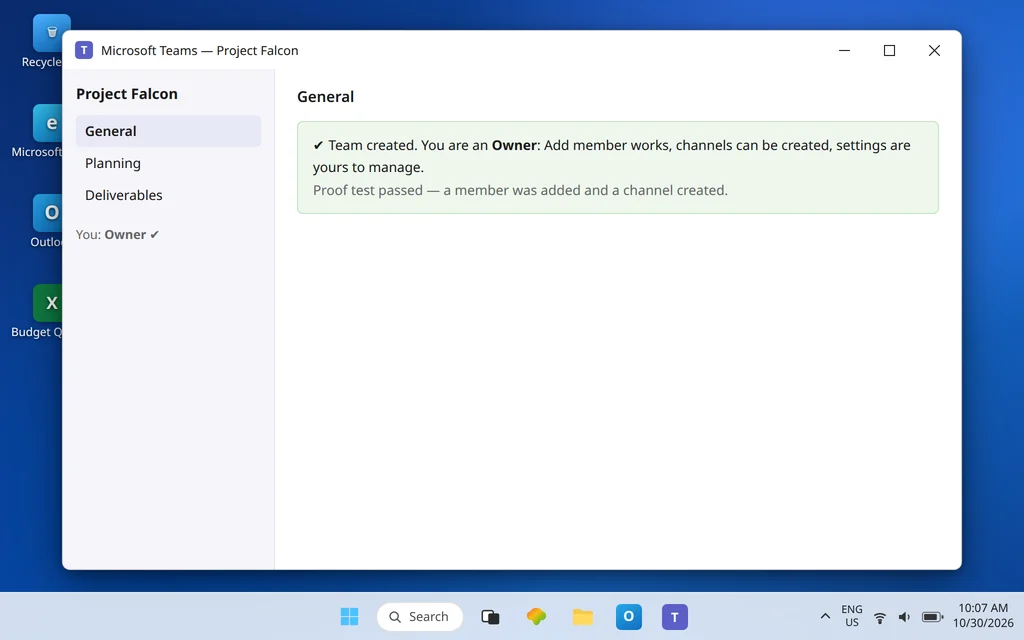
Success looks like one of these three end states, and any of them counts: you can open Create team and complete it yourself (you were added to the allowed group); or a colleague/admin created the team and you can open Manage team and see yourself listed as Owner; or your existing group now has a team wrapped around it, with its members carried across. In the owner cases, prove it functionally: add a member and create a channel. If both work, the permission question is closed — you have everything except the one button you may never need again.
How to stop it happening again
- Ask once, properly. A single request naming the Entra group-creation setting and the security group gets you a durable answer; repeated “Teams is broken” tickets get you reinstalls.
- Default to requesting ownership, not creation rights. Most people need one team, not a standing ability to mint groups. Ownership is the smaller, easier approval.
- Name a second owner on day one. Ownerless teams are the top reason “temporary” teams become permanent clutter — the very sprawl the restriction exists to prevent.
Frequently asked questions
Why can’t I create a new team in Microsoft Teams?
Most likely because your organization restricted Microsoft 365 group creation. Creating a team creates a Microsoft 365 group, and Microsoft Learn documents that this creation can be limited to members of a chosen security group in Entra ID. If you are not in that group, Teams shows a permission error or hides the Create team options entirely.
Why does Teams say I don’t have permission to create a team?
That message is the restriction working as configured — it means group creation in your tenant is limited and your account is not in the allowed-creators security group. It is not a fault in your Teams app, which is why the same result appears in Teams on the web.
Who controls who can create teams in Microsoft 365?
Your Microsoft 365 / Entra ID administrators, through the group creation setting described in Microsoft Learn’s “Manage who can create Microsoft 365 Groups.” They choose a security group whose members may create groups — and therefore teams — across Outlook, SharePoint, Teams, Planner, and the other group-based services at once.
How does an admin allow me to create teams?
By adding you to the security group named in the Entra ID Group.Unified setting (EnableGroupCreation set to false, GroupCreationAllowedGroupId set to that group’s ID). You and the configuring admin need Entra ID P1 or P2 licensing for this arrangement. There is no per-user “allow team creation” switch in the Teams app or Teams admin center.
Can I still get a team if creation is restricted?
Yes. An admin or an allowed colleague can create the team and assign you as its owner — Microsoft documents this as the intended pattern — and from that moment you manage members, channels, and settings normally. If you already own a suitable Microsoft 365 group, creating the team from that existing group is also worth trying.
Create button still blocked? Contact us at servicedesk@howtofixerroronline.com or through our Contact page and tell us the exact message Teams shows (or that the option is missing entirely), whether a colleague can create a team, and whether it fails the same way on Teams on the web. We will never ask for your password.