
Windows 11 KB5127936 Released: Customizable Right-Click Menu, Cloud Rebuild and a Remote Desktop Fix
October 30, 2026 — Microsoft has released KB5127936, the October 2026 optional preview update for Windows 11. It arrived on October 28, 2026 for PCs running Windows 11 version 25H2 and version 26H2, moving them to builds 26200.9818 and 26300.9818. It is a non-security update, so nothing in it is urgent — but it carries one change many users have asked for since Windows 11 launched, plus fixes for several real problems, including Remote Desktop connections failing with error 0xC000000D. There is no version of this update for 24H2.
The headline change: a right-click menu you can finally customize
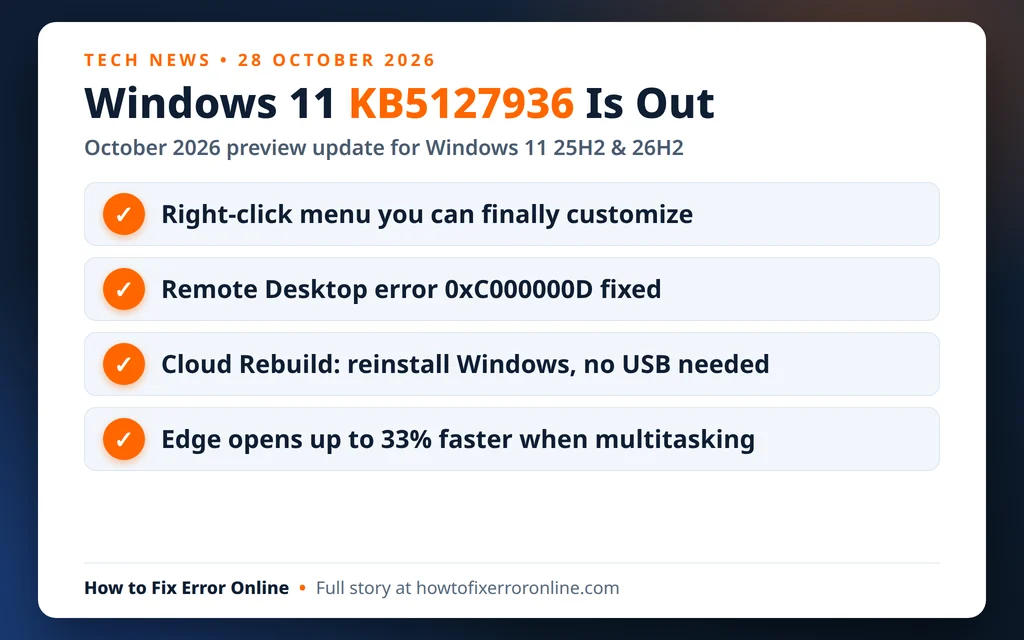
The biggest visible change is in File Explorer. Microsoft says the redesigned right-click (context) menu opens more quickly, with less clutter, and a new Customize menu option lets you choose which commands and app extensions appear, and how they are organized. You can turn built-in commands such as Send to and Create shortcut on or off, add Print, show Cut, Copy, Paste, Rename, Delete and Share as text entries instead of icons, and move Properties to the bottom of the menu. Explorer also gains a consistent layout on search results pages, support for typing ~ in the address bar to jump to your user profile folder, and dark mode in the Folder Options dialog.
One caution: these menu changes are on a gradual rollout. Installing KB5127936 does not guarantee the new menu appears straight away — Microsoft is enabling it on devices in phases.
Fixes that matter, and faster Edge launches
The part of the update that ships to every eligible PC at once is the fix list. KB5127936 resolves the Remote Desktop problem introduced by earlier updates, where non-admin users connecting to a device with Administrator protection enabled were blocked with error 0xC000000D (“The token that was passed to the function is invalid”). It also fixes a stuck Smart App Control switch in Windows Security, HDMI and DisplayPort audio problems on some AMD graphics cards, Windows Sandbox failing with error 0x80370106, Always On VPN connections, and WSL2 nested virtualisation on AMD processors.
Also included is a change Microsoft detailed on its official Edge blog on October 29: Edge is the first browser to support accelerated app launches on Windows. When Edge is already running in the background, Windows now passes a new launch request straight to it instead of starting a temporary extra process first. Microsoft says most users will see launch speeds improve by about 15%, and up to 33% under heavy multitasking. It needs Edge version 150 or later, plus this update (or a later one) on Windows 11 25H2, 26H2 or 26H1.
For recovery, the update adds Cloud rebuild: Windows can reinstall itself using an image and drivers downloaded from Windows Update — no USB stick or custom image needed — including when a PC will not start normally. The recovery environment can also now reuse Wi-Fi profiles already saved in Windows, so a PC can get online during recovery without re-entering network details. Note that Cloud rebuild removes local files, so it is a last-resort repair, not a routine fix — back up first.
Should you install KB5127936?
For most people, waiting is fine. This is an optional preview: it contains no security fixes, and its changes are expected to reach everyone through the regular November Patch Tuesday update. Install it now only if one of its fixes solves a problem you actually have — the Remote Desktop error above is the clearest example — or if you want the new right-click menu early and accept that it may not switch on immediately.
One known issue is worth knowing about first: Microsoft still lists some USB Audio Class 1.0 devices as failing with error Code 10 or producing no sound, a problem carried over from the September security update with no fix published yet. If you rely on an older USB headset or audio device, that is another reason to wait.
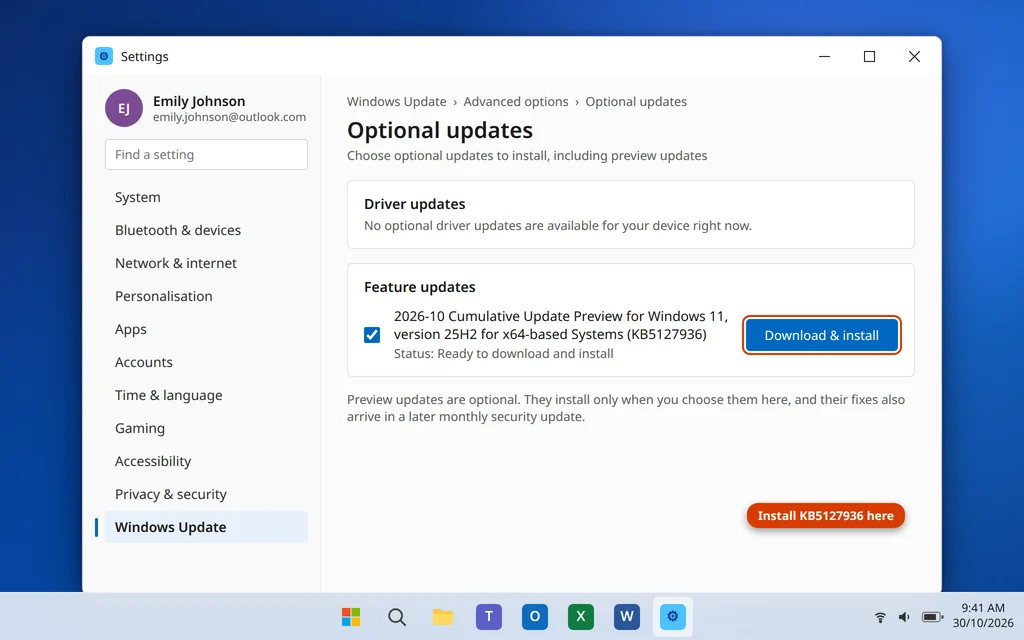
If you do want it: open Settings > Windows Update > Advanced options > Optional updates and install KB5127936 from there, then restart. It is also available from the Microsoft Update Catalog.
Sources: Microsoft Support, release notes for the October 28, 2026 update KB5127936 (Windows 11 versions 25H2 and 26H2); Microsoft Edge Blog, “Edge is faster on Windows with Accelerated App Launches”, October 29, 2026 — https://blogs.windows.com/msedgedev/2026/10/29/edge-is-faster-on-windows-with-accelerated-app-launches/
If a Windows update ever leaves your PC with an error code instead of a fix, our step-by-step guides can help — for example, our guide to Windows Update error 0x80070002. Still stuck? Email us at servicedesk@howtofixerroronline.com — we’re available 24 hours.