
Spectrum Email Not Sending in Outlook: Fixes for Charter, Spectrum & TWC
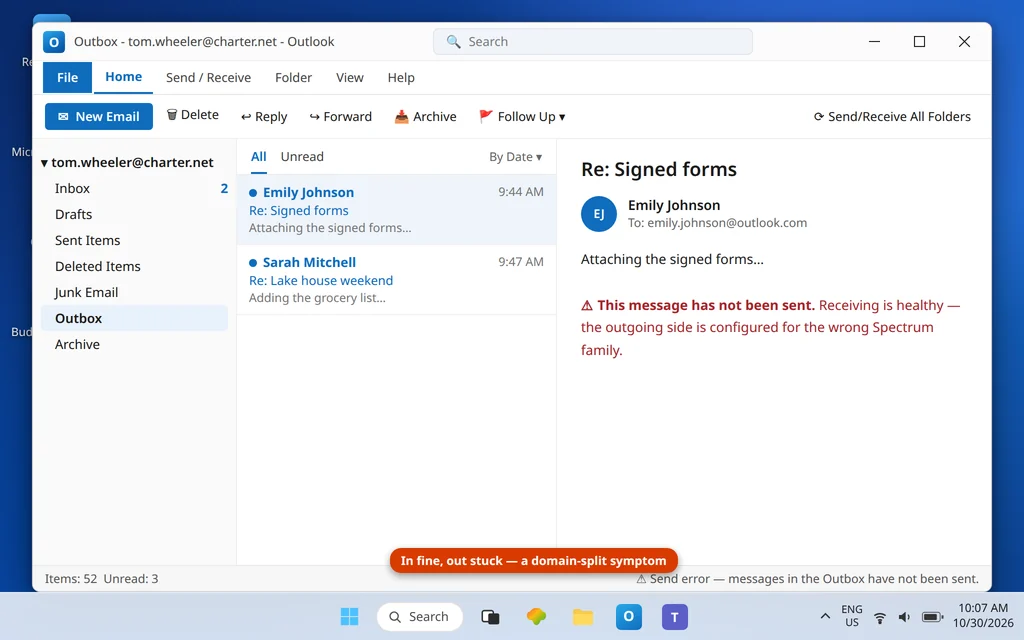
Spectrum email is not one email system — it is several cable companies’ systems wearing one brand. That is why “Spectrum email settings” searches produce contradictory answers: the correct outgoing server depends on the domain in your address. @charter.net and @spectrum.net addresses send through mobile.charter.net; legacy @twc.com and @rr.com addresses send through mail.twc.com. Use the wrong one and receiving may still work (incoming has its own path) while every send fails — or bounces with Spectrum’s sender-rejected error, 550 5.1.0 … AUP#Out-1500. Spectrum email not sending in outlook usually comes down to one mismatch: the wrong family’s outgoing server.
This guide fixes the sending side for both families, and clears up the app-password confusion that the new Outlook app creates on this provider. If instead you cannot receive, the mirror guide is Spectrum Email Not Receiving in Outlook. For sending problems on all providers, see Outlook Not Sending Emails but Can Receive.
Quick Answer: Match the outgoing server to your address domain. @charter.net / @spectrum.net: SMTP server
mobile.charter.net, port 587, SSL/TLS, authentication on (“use same settings as my incoming mail server”), user name = your full address, password = your normal Spectrum email password. @twc.com / @rr.com: SMTP servermail.twc.com, port 587, STARTTLS, SPA switched OFF. There is no Spectrum app password — if an app asks you to generate one, that prompt is a red herring; Spectrum accounts use the ordinary email password everywhere.
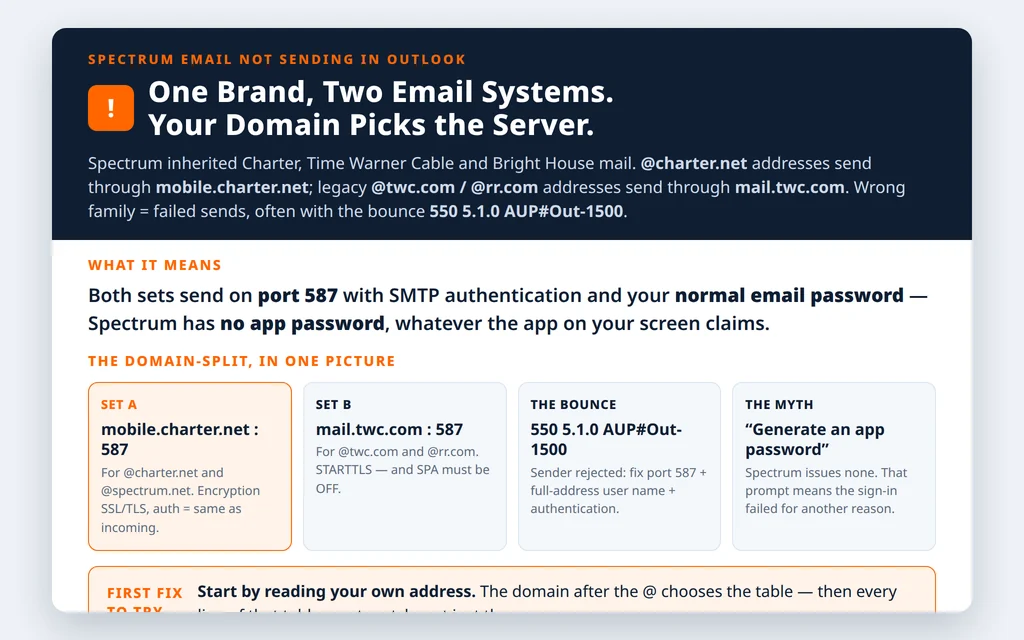
Table of Contents
Fix 1 — Charter.net / Spectrum.net addresses: the mobile.charter.net set
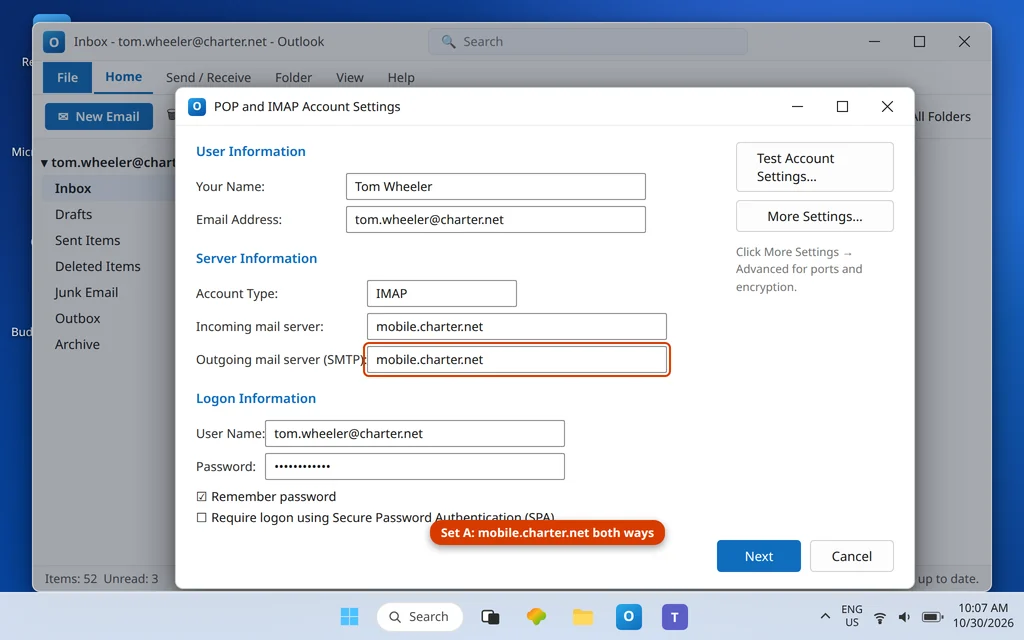
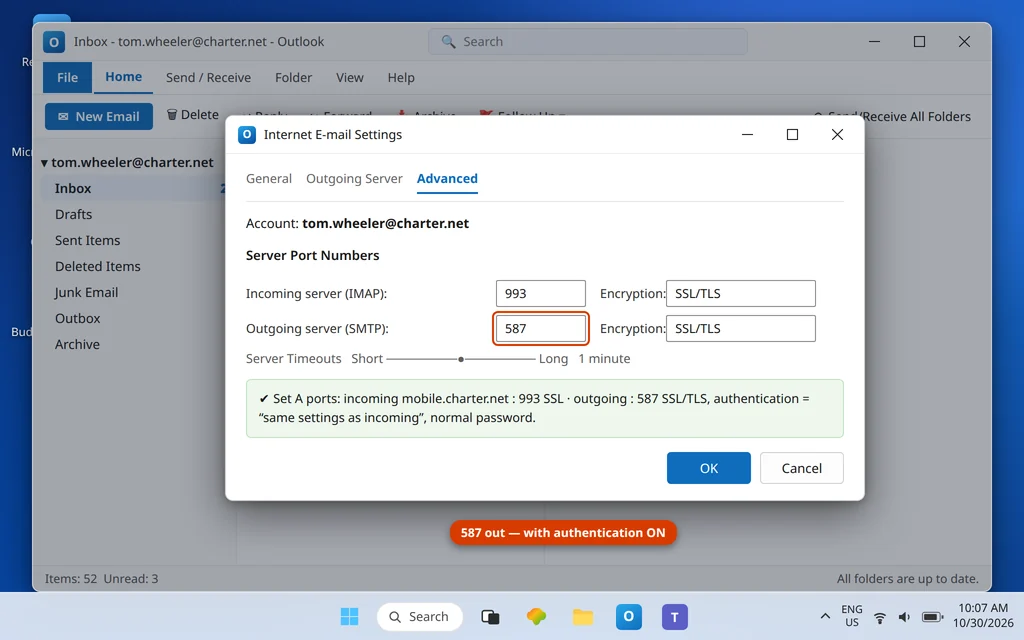
In File → Account Settings → Change, the outgoing side for Set A domains reads:
| Setting | Set A — @charter.net, @spectrum.net |
|---|---|
| Outgoing server (SMTP) | mobile.charter.net |
| Port | 587 |
| Encryption | SSL/TLS |
| SMTP authentication | Required — “Use same settings as my incoming mail server” |
| User name | Full email address |
| Password | Your normal Spectrum email password |
Fix 2 — TWC / Road Runner addresses: the mail.twc.com set
For Set B — @twc.com and the old @rr.com (Road Runner) addresses — the outgoing server is a different host with one extra trap:
| Setting | Set B — @twc.com, @rr.com |
|---|---|
| Outgoing server (SMTP) | mail.twc.com |
| Port | 587 |
| Encryption | STARTTLS |
| SMTP authentication | Required |
| Secure Password Authentication (SPA) | Must be OFF |
| User name / password | Full address / normal email password |
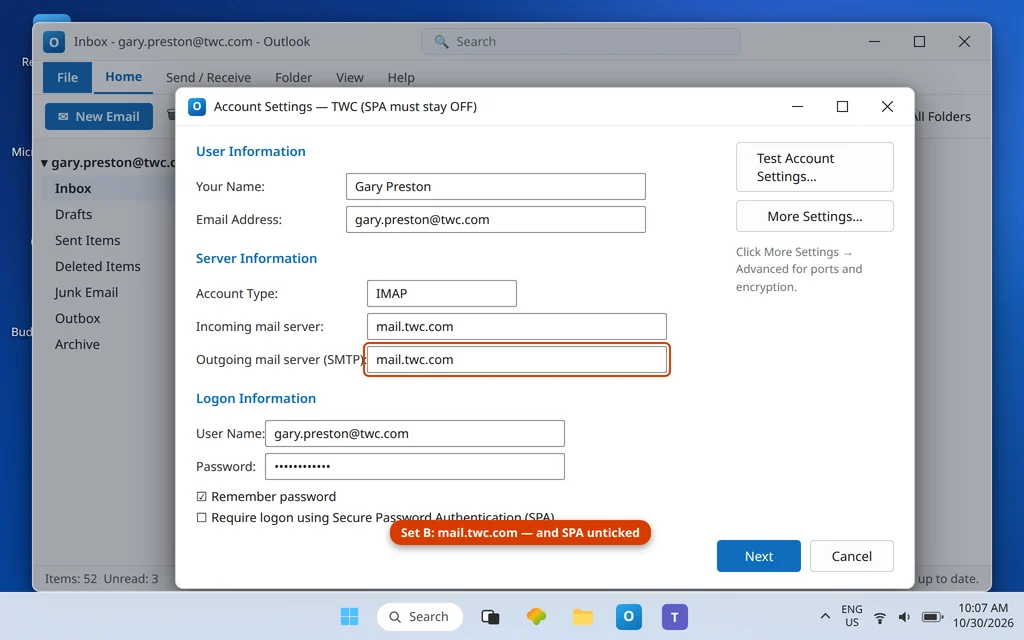
The SPA checkbox (on the account’s main settings screen) is the Set B signature fault: legacy Road Runner setups often have it ticked from some ancient instruction, and this server rejects SPA sign-ins outright. While you are checking, forget any per-region server names from the Road Runner era (pop-server.<region>.rr.com and friends) — they are retired.
Fix 3 — Read the rejection: error 550 5.1.0 AUP#Out-1500
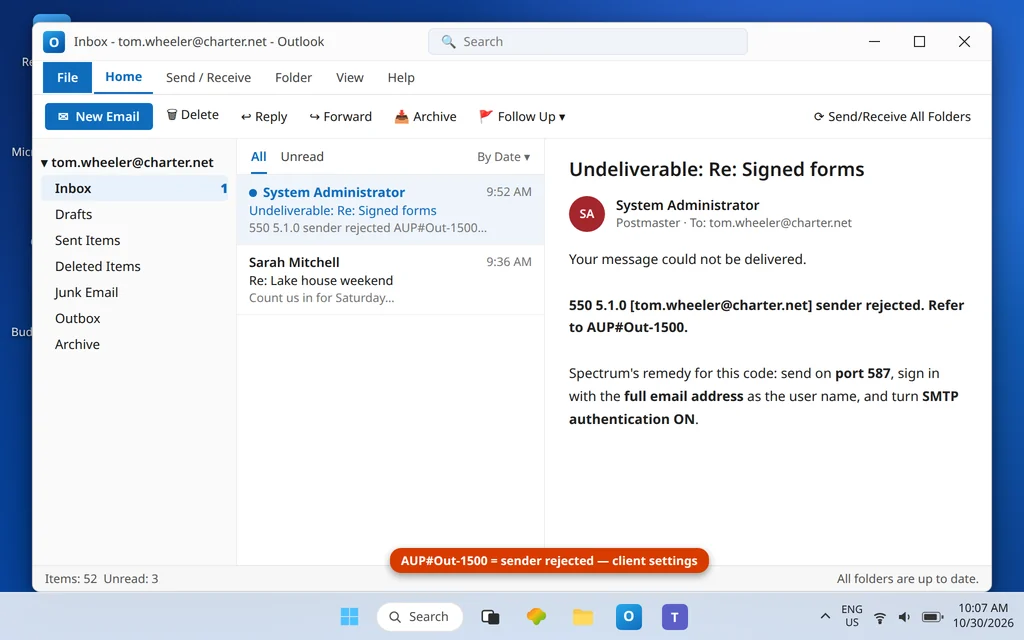
If your message leaves the Outbox but bounces back with 550 5.1.0 … AUP#Out-1500, Spectrum’s server accepted the connection and rejected you as a sender. Spectrum’s own guidance for this code points at the client configuration: the fix is the combination of port 587, the full email address as the user name, and SMTP authentication switched on — in other words, exactly the tables above. Run through them line by line; a partial match (right server, username missing the domain) still earns the rejection.
Fix 4 — Ignore the app-password prompt: Spectrum has none
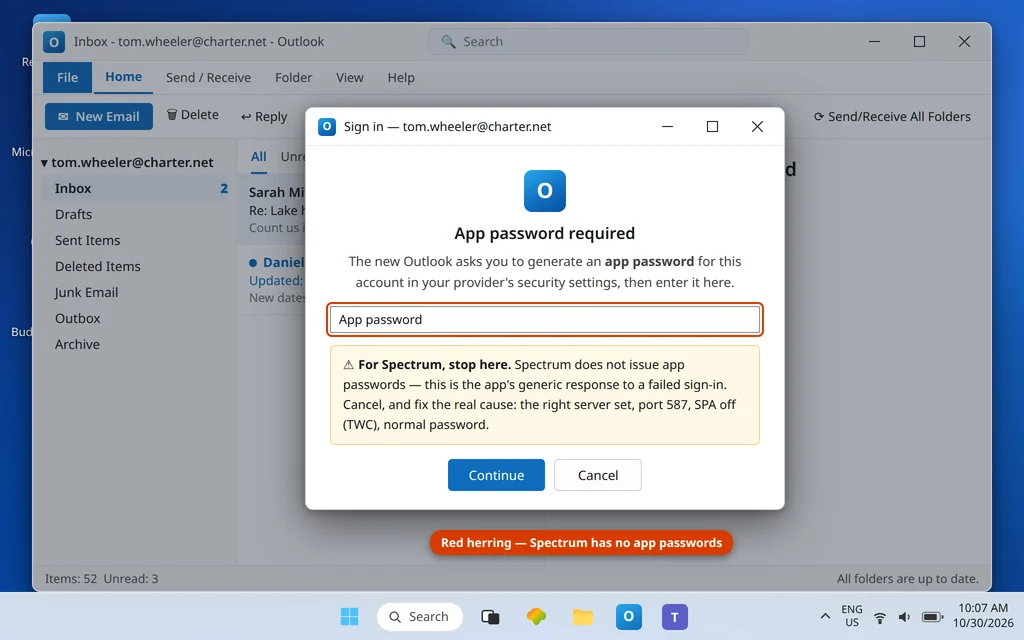
If the new Outlook app asks for an “app password” for your Spectrum account, do not go hunting for one: Spectrum does not issue app passwords. That prompt is the app’s generic response to a failed password sign-in, not a Spectrum feature. Your ordinary Spectrum email password is the correct credential in every Outlook, on both server sets. A failed sign-in on Spectrum means a wrong server, wrong port/encryption, SPA left on (Set B), or a mistyped password — never a missing app password.
Fix 5 — Prove the account can send at all: the webmail test
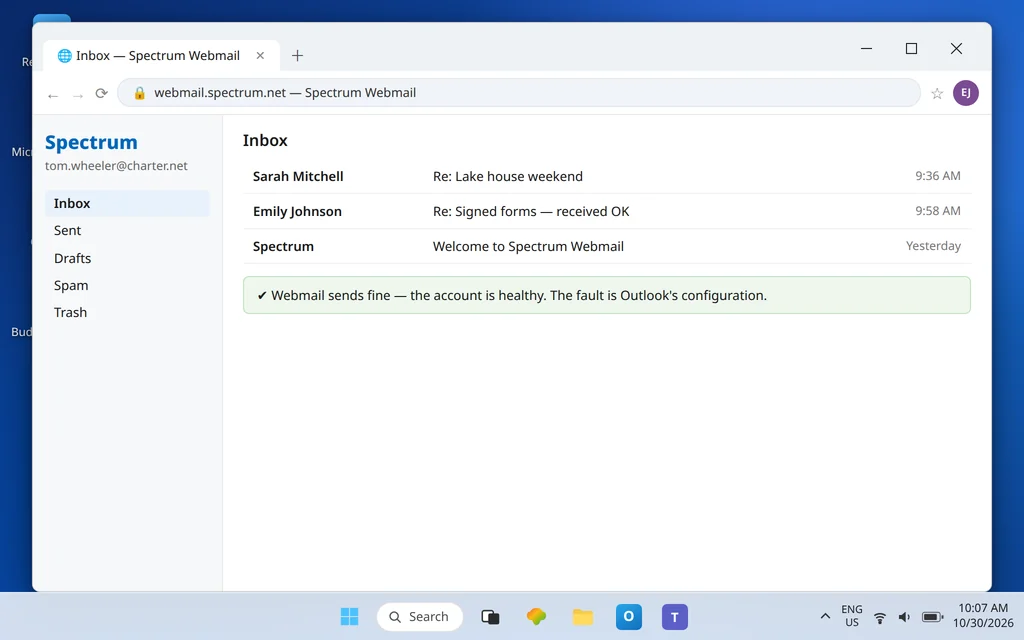
Sign in to Spectrum Webmail (webmail.spectrum.net) and send a test message. If webmail sending fails too, the restriction is on the account — Spectrum can limit sending on accounts flagged for spam-like patterns, and no Outlook setting outruns an account-level hold; you will need Spectrum support and time. If webmail sends instantly, the account is healthy and the fault is in your Outlook configuration — return to Fixes 1–3 with fresh eyes.
Spectrum email not sending in outlook? Rule out the Outlook-side blockers
Three app-level settings imitate a Spectrum fault perfectly, and they are worth two minutes before you re-check servers. Work Offline (Send/Receive tab): if it is on, Outlook holds every send for every account with no error at all — toggle it off and watch the Outbox drain. A stuck first message: one malformed or oversized message at the head of the Outbox blocks everything behind it, so test with a brand-new one-line message after clearing the queue (Fix 7) rather than judging by the old messages. Security software scanning outgoing mail: some antivirus suites insert themselves into the SMTP connection and break it, especially on SSL ports; if sends fail only with the suite’s email shield enabled, that shield — not Spectrum — is your culprit, and the lasting fix is to leave the shield off for outgoing mail rather than to strip encryption from the account. None of these wear a Spectrum badge, which is exactly why they hide inside “Spectrum won’t send” reports.
Which set am I? The 20-second recap
If you only take one thing from this page: read your own address. @charter.net or @spectrum.net means Set A — mobile.charter.net for incoming and outgoing, 993 in, 587 out. @twc.com or @rr.com means Set B — mail.twc.com for both, 993 in, 587 out, STARTTLS on SMTP, SPA off. @brighthouse.com addresses exist in the same inherited family, but their server details are not consistently published by Spectrum, so if a Set A/B pattern does not connect a Bright House legacy address, confirm the current settings with Spectrum support rather than guessing a third table. Every other Spectrum domain follows one of the two sets above.
Spectrum’s official guide: Set up Spectrum Email on Microsoft Outlook.
Fix 7 — Clear the Outbox and resend fresh
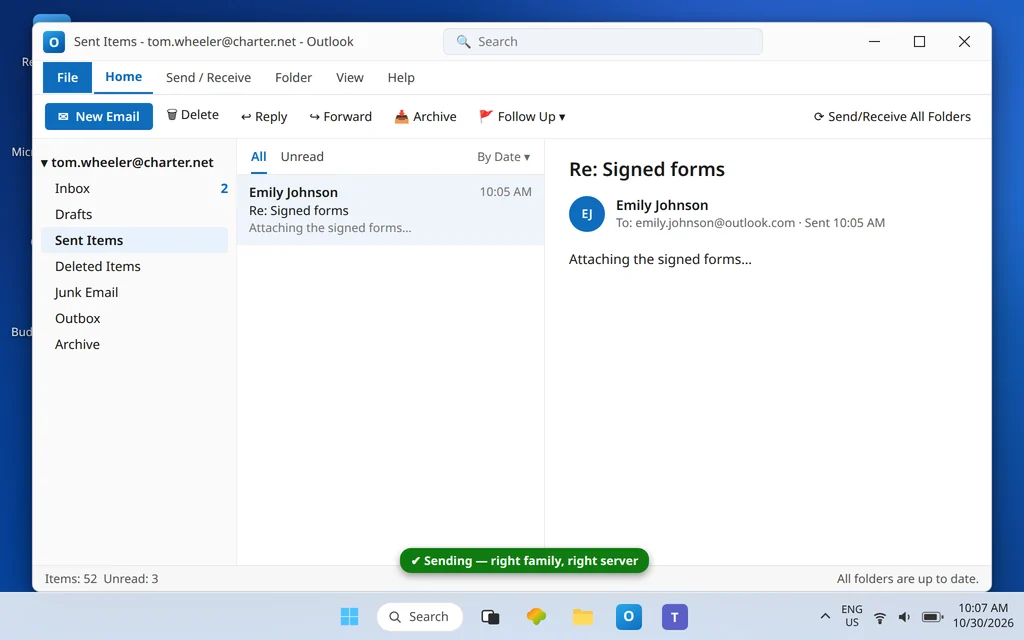
After correcting settings, drag stuck messages from the Outbox to Drafts, open each, and press Send. Anything that will not move: Work Offline on, restart Outlook, delete from Outbox, Work Offline off, rewrite. Then confirm the test message lands in Sent Items and arrives at the other end.
How to stop it happening again
- Write your set letter down. Note “Set A — mobile.charter.net” or “Set B — mail.twc.com” beside the account in your password manager; every future fix depends on it.
- Never accept auto-detected settings for a Spectrum address — detection guesses one family’s servers for the other’s addresses.
- Keep SPA off on TWC/RR accounts, even if a generic guide suggests turning it on “for security.”
- Remember: normal password, everywhere. Any future prompt demanding a Spectrum app password is a symptom, not a step.
Frequently asked questions
What are the correct Spectrum SMTP settings for Outlook?
It depends on your address. @charter.net and @spectrum.net: outgoing server mobile.charter.net, port 587, SSL/TLS, SMTP authentication on with “use same settings as my incoming mail server,” full address as user name. @twc.com and @rr.com: outgoing server mail.twc.com, port 587, STARTTLS, authentication on, and Secure Password Authentication (SPA) off. Both use your normal Spectrum email password.
What does Spectrum error 550 5.1.0 AUP#Out-1500 mean?
It is a sender rejection: Spectrum’s outgoing server accepted your connection but refused you as a sender. Spectrum’s documented remedy is client-side — send on port 587, use your full email address as the user name, and make sure SMTP authentication is enabled. Check all three against the tables in this guide; a single miss keeps the rejection coming.
Does Spectrum require an app password for Outlook?
No — Spectrum has no app-password system at all. New Outlook sometimes displays an app-password prompt after a failed sign-in, but for Spectrum accounts the correct entry is your ordinary email password. If the sign-in keeps failing, the cause is the server set (Fix 1 or 2), the port/encryption pair, or SPA on a TWC account — not a missing app password.
Why does my Spectrum email receive but not send after I changed computers?
The new setup was almost certainly auto-detected with the wrong family’s servers, or with port 25/110-era leftovers. Spectrum accounts punish guesses because the two domain families use different hosts. Rebuild the account manually with your family’s table from this guide, and do not let the wizard detect settings.
My @rr.com address stopped sending. Is Road Runner email gone?
The addresses still work — they are Set B in this guide, served by mail.twc.com. What is gone are the old per-region Road Runner servers (pop-server.<region>.rr.com etc.) and port 25/110 sending. Point the account at mail.twc.com : 587 STARTTLS with SPA off and it sends again.
Webmail will not send either. What then?
Then the limit is on the Spectrum account itself (for example a sending restriction after spam-like activity), and Outlook cannot fix it. Contact Spectrum support, confirm the account’s sending status, and use webmail until the restriction lifts — Outlook will recover on its own once the account does. General send-side codes are collected in our Error Codes hub.
Sending again — or still bouncing with AUP#Out-1500? Contact us at servicedesk@howtofixerroronline.com or through our Contact page and tell us your address domain (@charter.net, @twc.com, @rr.com…), the exact bounce text, and whether webmail sends. Never send us your password — we will never ask for it.
Pingback: Spectrum Email Not Receiving in Outlook? Set A vs Set B Servers