
Sympatico Email Not Sending in Outlook (Also for @bell.net)
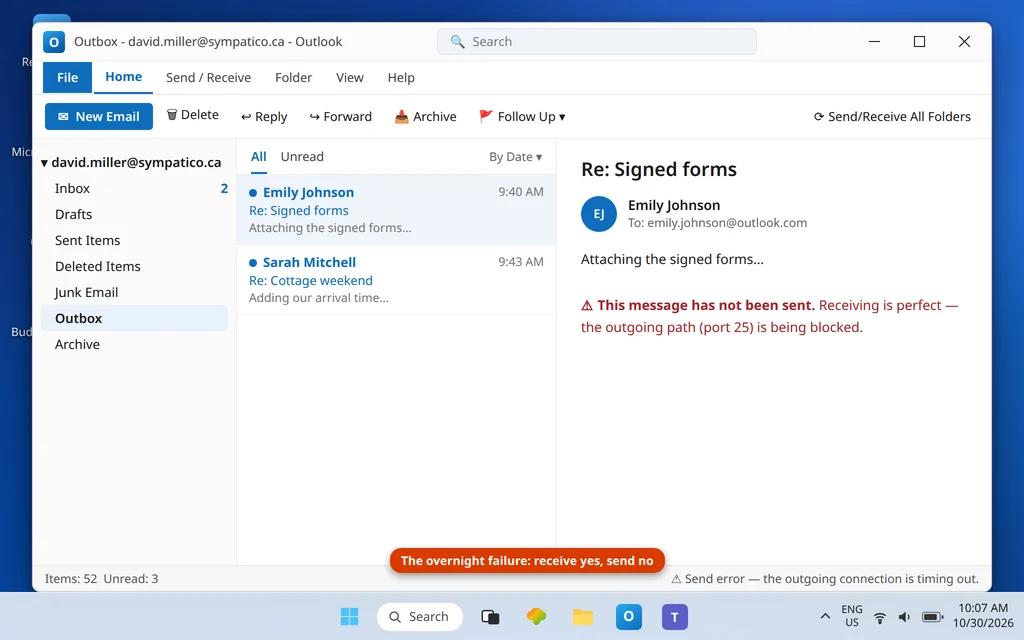
The Sympatico complaint has a distinctive shape, captured word-for-word in Microsoft’s Q&A forums: people “suddenly lose the ability to send email from a Bell/Sympatico account in Outlook while they can still receive, especially when the setup has worked reliably for years.” Nothing about that is a coincidence. The account’s outgoing server is one of the most unusual in this entire series — smtphm.sympatico.ca — and it sits on port 25, the port modern networks and security tools most love to block. A new router, a new antivirus, a new ISP at a second home, a hotel network: anything that starts blocking port 25 (or a setup wizard “repair” that swaps in a guessed server name) turns a years-stable account into a send-only failure overnight. If sympatico email not sending in outlook is what brought you here, the culprit is almost always the outgoing server and port below.
This guide fixes sending for @sympatico.ca and @bell.net addresses — they share Bell’s current settings — with the full IMAP + POP + SMTP table, the port 25 → 587 escape, and the one cause nobody expects: Bell’s country restriction on email-app access. If you also cannot receive, the same table’s incoming half applies; general receiving checks are in Outlook Not Receiving Emails but Can Send, and general sending checks in Outlook Not Sending Emails but Can Receive.
Quick Answer: Set the outgoing server to
smtphm.sympatico.ca, authentication required, TLS/SSL (STARTTLS preferred), on port 25 — and if 25 fails (it is blocked on many networks now), switch to port 587, which Bell publishes as the fallback. Your user name is your full address and your password is your mailbox password — Bell documents no app password. Incoming isimap.bell.netport 993 for both @sympatico.ca and @bell.net. And if you are travelling outside Bell’s supported country list, app access is blocked by design — webmail is your route until you are back.
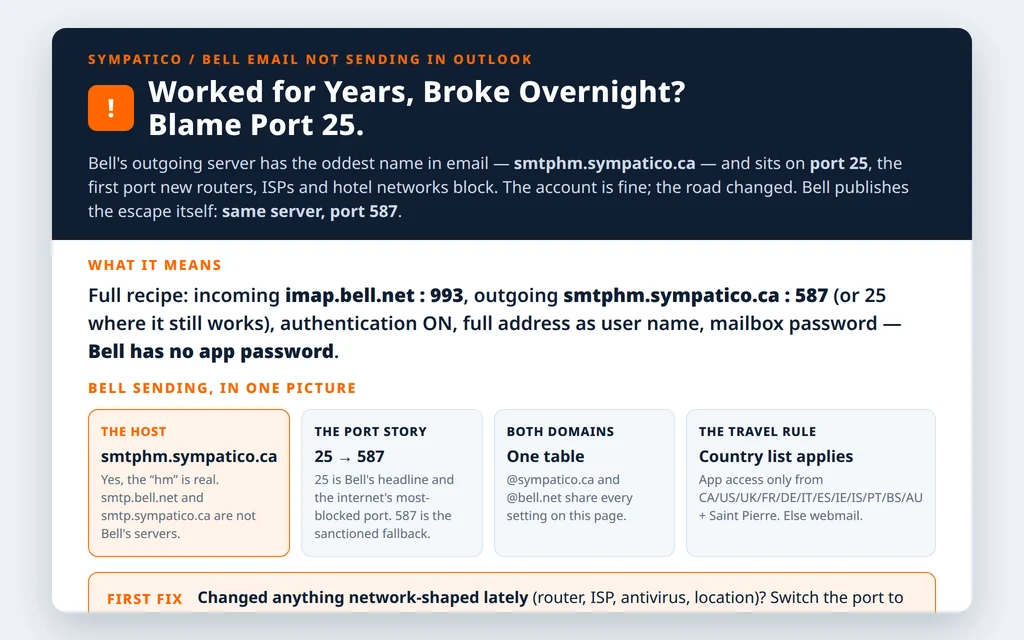
Table of Contents
Fix 1 — Sympatico email not sending in outlook: the full Bell/Sympatico settings table (both domains)
Bell’s current manual-settings page documents IMAP; the POP row below is from Bell’s legacy documentation and remains live, but treat IMAP as the primary recommendation. In File → Account Settings → Change:
| Setting | IMAP (recommended) | POP (legacy) |
|---|---|---|
| Incoming server | imap.bell.net | pophm.sympatico.ca |
| Port / encryption | 993 · SSL | 995 · SSL |
| Outgoing server (SMTP) | smtphm.sympatico.ca | smtphm.sympatico.ca |
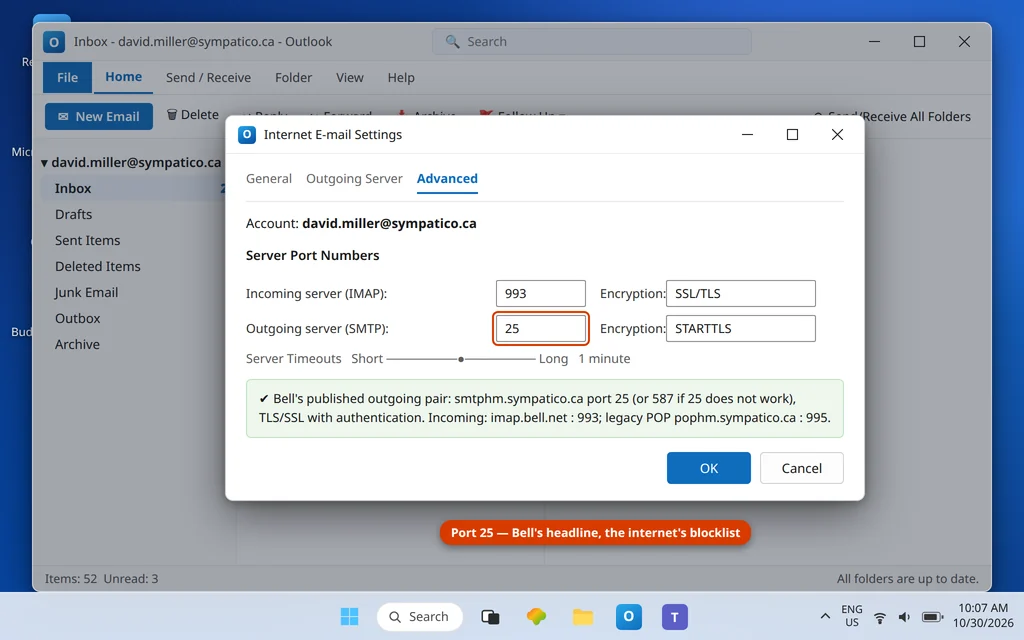
| SMTP port | 25 — or 587 if 25 does not work | 25 / 587 |
| SMTP encryption | TLS/SSL (STARTTLS preferred) | TLS/SSL |
| SMTP authentication | Required | Required |
| User name | Full @sympatico.ca or @bell.net address | Full address |
| Password | Mailbox password (no Bell app password exists) | Mailbox password |
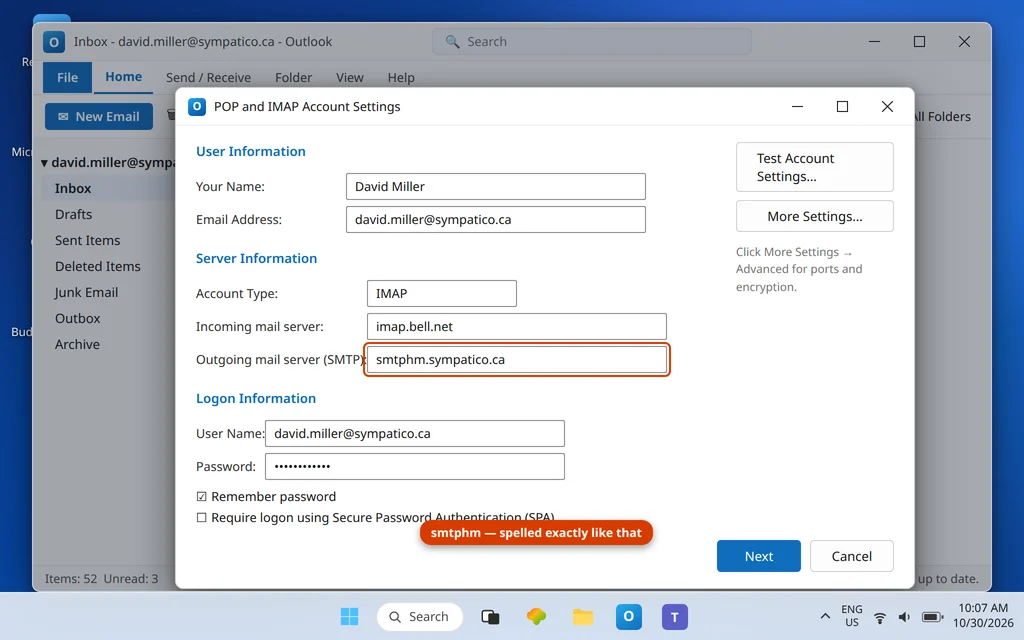
Note what the outgoing host is not: neither smtp.bell.net nor smtp.sympatico.ca — both circulate, neither is Bell’s documented server. The hm in smtphm looks like a typo and is not; it is genuinely the host Bell publishes for both domains.
Fix 2 — The port escape: 25 blocked? Switch to 587
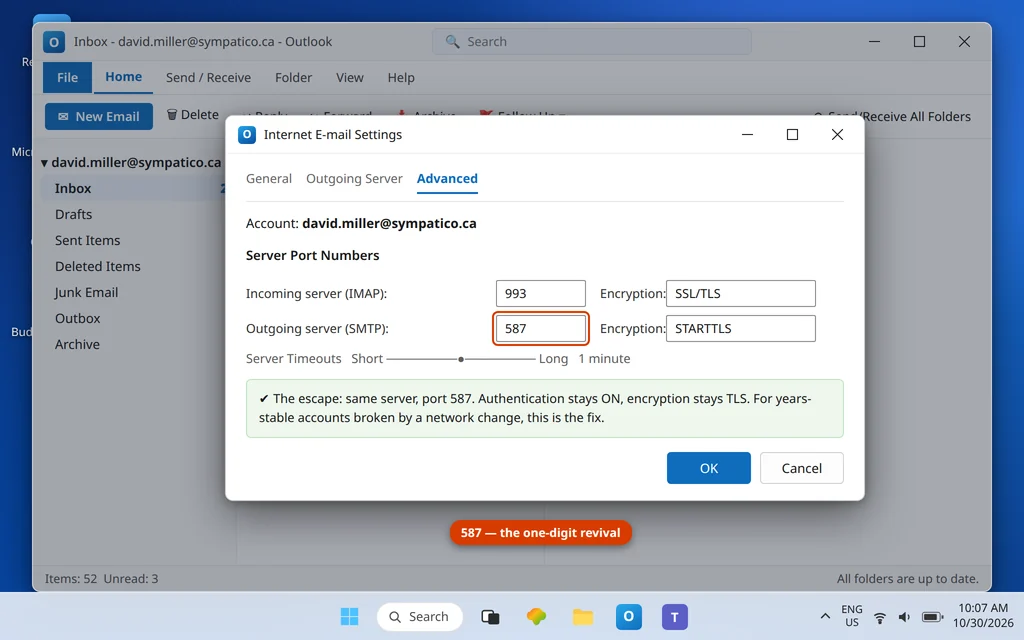
Port 25 was the standard mail-submission port of an earlier internet, and it is now blocked by default on many home routers, corporate and hotel networks, and security suites — precisely the changes that precede “it suddenly stopped sending.” Bell anticipates this in its own guidance: the outgoing port is 25, or 587 if 25 does not work. In More Settings → Advanced, change Outgoing server (SMTP) to 587, keep TLS (STARTTLS) and authentication on, and resend. For a years-stable Sympatico account that broke after any network change, this single digit swap is the most common fix in this entire guide.
Fix 3 — Authentication on, with the mailbox password
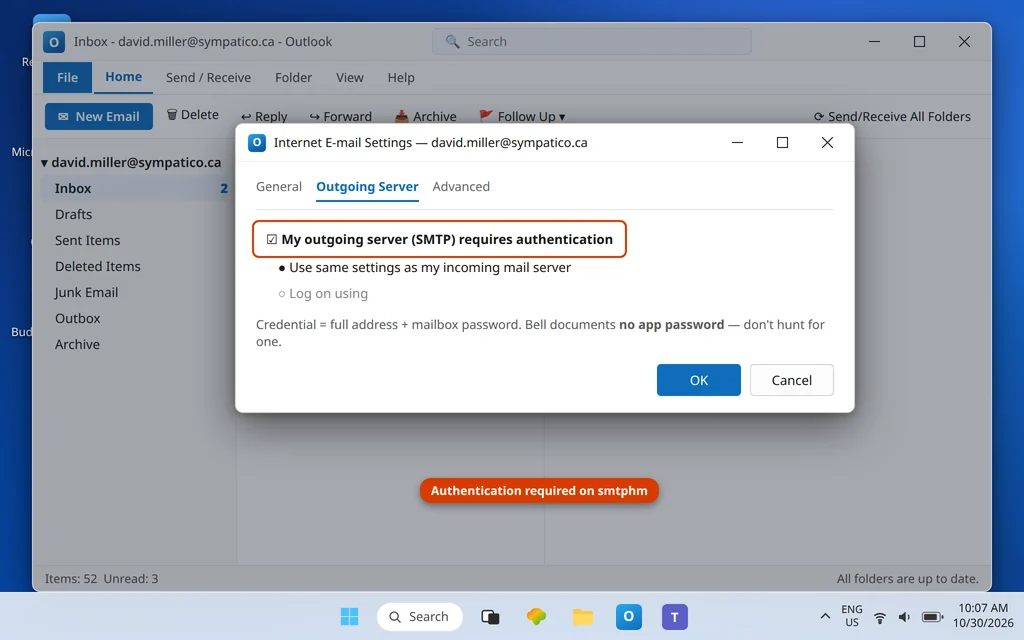
Bell’s outgoing server requires authentication. More Settings → Outgoing Server → tick My outgoing server (SMTP) requires authentication → Use same settings as my incoming mail server. The credential is your ordinary mailbox password with your full address as the user name. Bell documents no app password for email apps — if a generic guide sends you hunting for one, it is confusing Bell with Yahoo- or Google-platform providers.
Fix 4 — Travelling? Bell blocks app access from most of the world
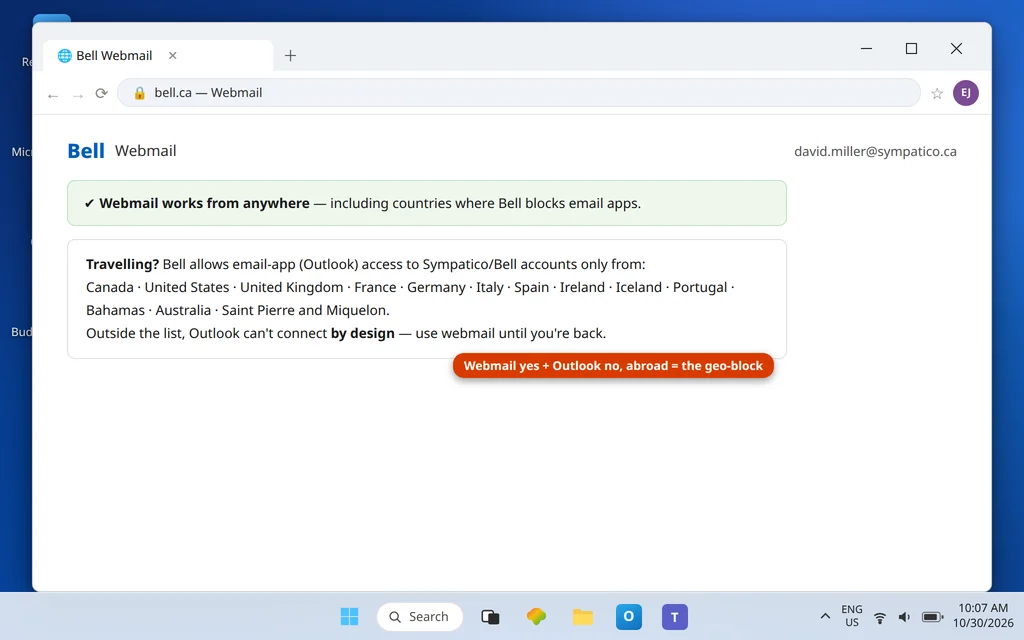
This is the cause that feels impossible until you know it: Bell restricts third-party email-app access to a list of countries — Canada, the US, the UK, France, Germany, Italy, Spain, Ireland, Iceland, Portugal, the Bahamas, Australia, and Saint Pierre and Miquelon. Outside that list, Outlook cannot connect to a Sympatico/Bell account by design, while webmail keeps working — the diagnostic signature of the geo-block. There is no settings fix; use Bell webmail until you are back in a listed country. (Forum reports on VPN workarounds are mixed — do not build travel plans on them.) If your “sudden” send failure coincides with a trip, this is your answer, and it resolves itself at the border.
Fix 5 — Reading the Bell-flavoured errors
- 0x800CCC90 / 0x800CCC92 on receiving: these implicate the POP host (
pophm.sympatico.ca) handshake — 0x800CCC92 is the user name/password rejection. On a POP account, re-enter the mailbox password; better, migrate the account to the IMAP table (imap.bell.net), which Bell currently documents. Our Error Codes hub covers the family. - Send hangs with no error: port 25 being silently dropped by the network — Fix 2.
- “Mail storage services unavailable” wording: a Bell-side service message rather than your settings; wait it out and test webmail.
Fix 6 — Clear the Outbox and confirm
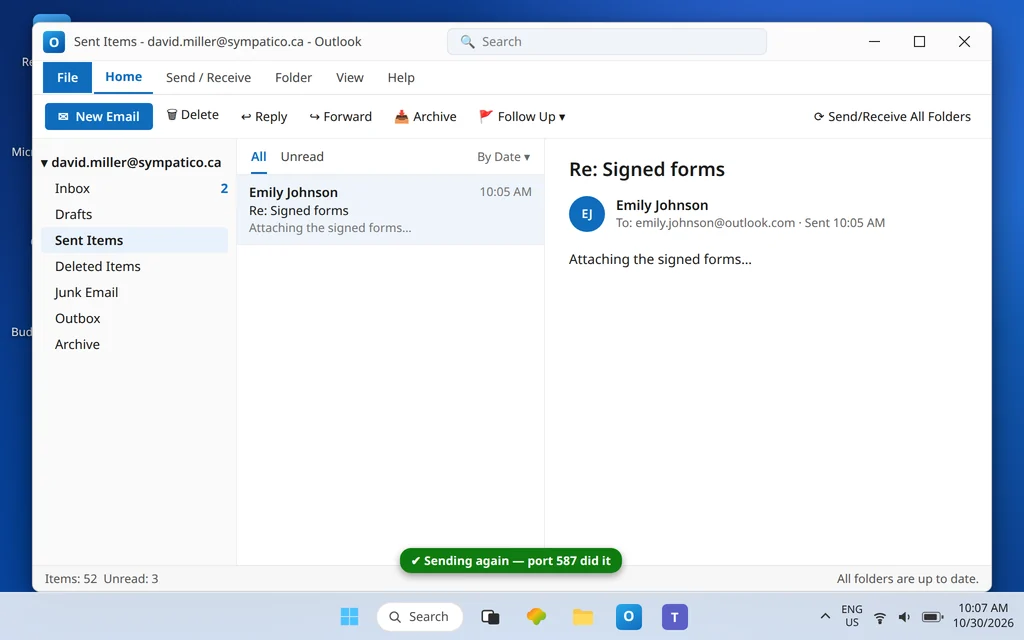
With host, port and authentication right: drag stuck messages from the Outbox to Drafts, open, Send. Then verify in Sent Items and at the recipient. If a test sends from home but the same laptop failed at a cottage, hotel or office — that contrast is the port-25 (or geo) diagnosis confirming itself.
How to stop it happening again
- Set 587 now, even if 25 works today. Bell sanctions it, and it immunizes the account against the next router/network change.
- Write
smtphmdown exactly. The odd host name is the first thing a wizard or a helpful forum post “corrects” into a broken one. - Before travelling, test webmail sign-in and expect app access only within Bell’s country list.
- Prefer IMAP (
imap.bell.net). Bell’s current documentation leads with IMAP; POP here is legacy, with legacy error codes to match.
Frequently asked questions
What is the correct outgoing server for Sympatico email in Outlook?
smtphm.sympatico.ca — for both @sympatico.ca and @bell.net addresses — with authentication required, TLS/SSL (STARTTLS preferred), on port 25, or port 587 when 25 does not work. Not smtp.bell.net and not smtp.sympatico.ca; those names circulate online but are not Bell’s documented server.
Why did my Sympatico account suddenly stop sending after years?
Because its outgoing path runs on port 25, and something in the chain started blocking it — a new router, ISP change, security software update, or a different network (second home, hotel, office). Bell publishes the escape in its own settings: switch the outgoing port to 587 (authentication and TLS unchanged) and sending resumes. A setup “repair” that replaced smtphm.sympatico.ca with a guessed host produces the same overnight failure.
What are the full Bell/Sympatico email settings for Outlook?
Incoming IMAP: imap.bell.net port 993 SSL (both domains). Legacy POP: pophm.sympatico.ca port 995 SSL. Outgoing: smtphm.sympatico.ca port 25 (or 587), authentication required, TLS/SSL. User name is your full address; password is your mailbox password. Bell documents no app password — ignore guides that invent one.
Does Bell email work in Outlook while travelling abroad?
Only from Bell’s supported list: Canada, the US, the UK, France, Germany, Italy, Spain, Ireland, Iceland, Portugal, the Bahamas, Australia, and Saint Pierre and Miquelon. Elsewhere, third-party app access is blocked by design and webmail is the supported route. If Outlook fails only while you are away and webmail works, you have found the geo-block — it clears when you return to a listed country.
What do errors 0x800CCC90 and 0x800CCC92 mean on a Bell account?
They belong to the POP side (pophm.sympatico.ca): 0x800CCC92 is the server rejecting the user name/password pair, and 0x800CCC90 accompanies POP response problems. Re-enter the mailbox password with the full address as the user name — or move the account to Bell’s documented IMAP setup (imap.bell.net : 993), which avoids the legacy POP path entirely.
Does all of this apply to the new Outlook app as well?
Yes — the new Outlook uses the same Bell servers, ports and mailbox password when you add a Sympatico/Bell account manually; nothing about smtphm.sympatico.ca, ports 25/587, or the country restriction changes between Outlook versions. If the new app’s automatic setup guesses a different outgoing host, correct it by hand to this guide’s table. The fixes here are provider-side truths, not app-version quirks.
My @bell.net address — is everything in this guide really the same?
Yes. Bell’s current manual settings are unified: @bell.net and @sympatico.ca share imap.bell.net for incoming and smtphm.sympatico.ca for outgoing, the same ports, and the same country restriction. The Sympatico name is the legacy brand on the account; the plumbing is one Bell system.
Sending again — or still stuck between port 25 and somewhere abroad? Contact us at servicedesk@howtofixerroronline.com or through our Contact page and tell us your address domain, the outgoing server and port currently in your settings, and whether you are travelling. Never send us your password — we will never ask for it.