
BT Email Not Sending in Outlook: 530 Errors, DMARC & the Basic Trap
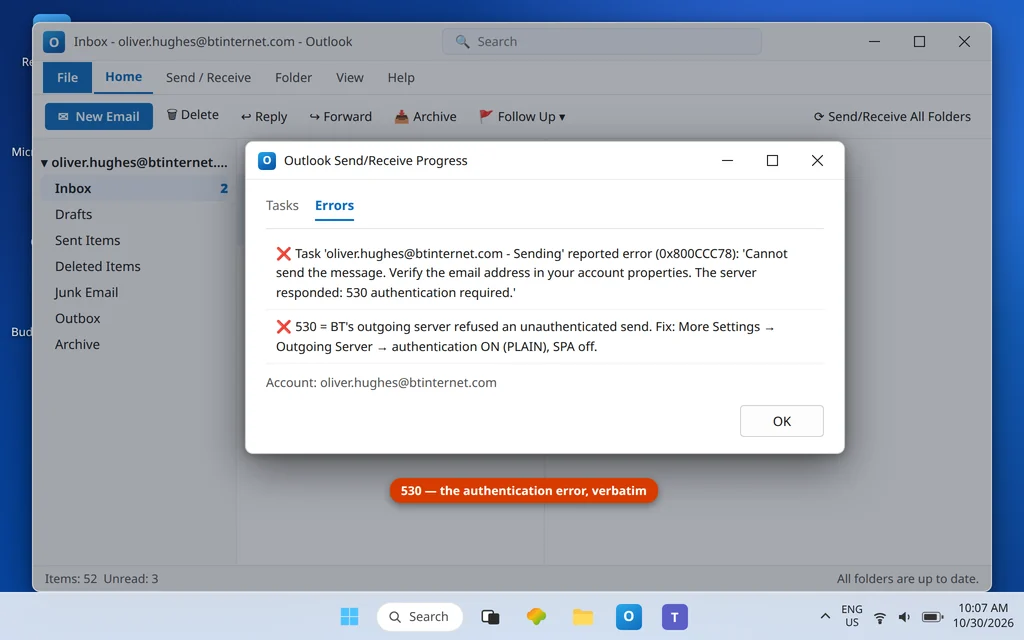
BT email sending failures in Outlook usually announce themselves honestly — a 530 error saying authentication is required — but they keep happening because BT’s setup has two features no wizard gets right. First, BT’s outgoing server demands SMTP authentication set to PLAIN, and Outlook setups that skip it (or hide behind Secure Password Authentication, which BT explicitly says not to use) get the 530 every time. Second, a quiet account downgrade — BT Mail Basic — switches off email-app access entirely, so the account “won’t send” (or receive) in Outlook no matter how perfect the settings are. This guide walks through fixing BT email not sending in Outlook, from the 530 authentication check to the BT Mail Basic trap.
This guide works through both, in the order that finds the fault fastest, for @btinternet.com and @btopenworld.com addresses. If BT email also fails to receive, the same settings table and the same Basic check apply — work through Fixes 1 and 4 and the receiving side comes with them. For sending problems across all providers, see Outlook Not Sending Emails but Can Receive.
Quick Answer: Set the outgoing server to
mail.btinternet.com, port 465 with SSL, and in More Settings → Outgoing Server tick “My outgoing server requires authentication” using your incoming sign-in, with the authentication type PLAIN where Outlook offers the choice. Do not tick SPA. Your password is your normal BT password — BT has no app password. If sending and receiving both fail in every app while webmail works, check whether the account has been downgraded to BT Mail Basic (webmail-only) — no settings fix that; the account type has to change.
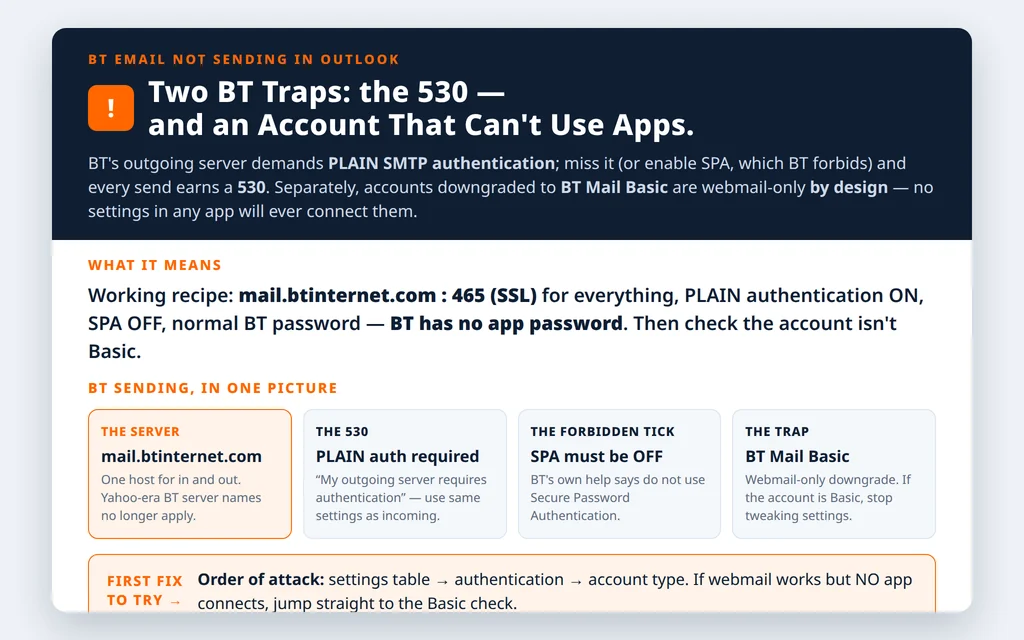
Table of Contents
Fix 1 — BT email not sending in Outlook: set BT’s exact server table
One host does everything at BT. In File → Account Settings → Change:
| Setting | Value |
|---|---|
| Incoming server (IMAP) | mail.btinternet.com : 993, SSL (not STARTTLS) |
| Incoming server (POP3) | mail.btinternet.com : 995, SSL |
| Outgoing server (SMTP) | mail.btinternet.com : 465, SSL |
| SMTP authentication | Required, PLAIN — or sending earns a 530 |
| SPA | Do NOT enable |
| User name | Full @btinternet.com / @btopenworld.com address |
| Password | Your normal BT email password (no app password exists) |
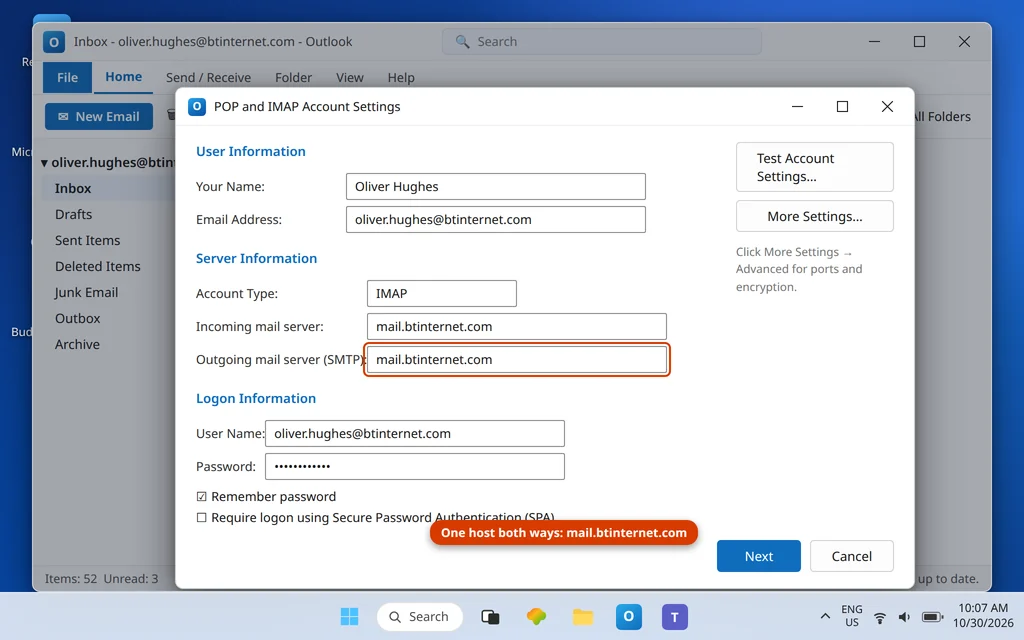
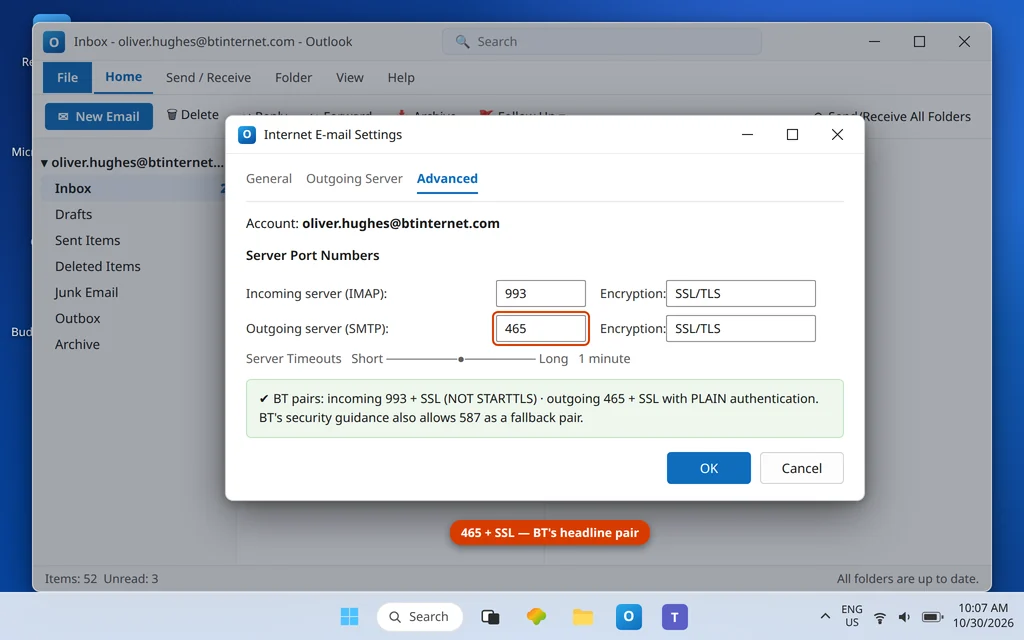
Note for anyone following older guides: the Yahoo-era BT server names that still circulate online no longer apply — BT’s current help points everything at mail.btinternet.com. And if port 465 is blocked on a particular network, BT’s security guidance also allows 587 — keep SSL and PLAIN authentication and switch the pair, rather than stripping the encryption to make 587 “work.” The BT server settings page lists the same IMAP, POP3 and SMTP details.
Fix 2 — The 530 error means: turn SMTP authentication ON (PLAIN)
Error 530 (typically “530 authentication required” or similar wording) is BT’s server refusing an unauthenticated send. The remedy is mechanical:
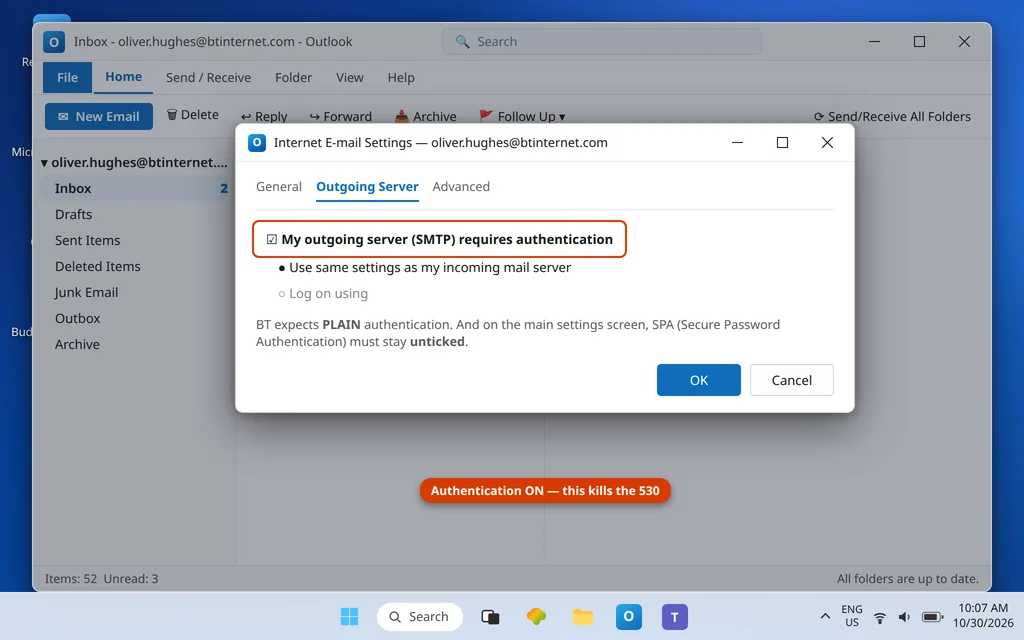
- File → Account Settings → Change → More Settings → Outgoing Server.
- Tick My outgoing server (SMTP) requires authentication → Use same settings as my incoming mail server.
- Where your Outlook version exposes the authentication type, it must be PLAIN.
- Confirm SPA is unticked on the main settings screen — BT’s help is explicit that SPA must not be used, and it breaks the PLAIN sign-in BT expects.
Fix 3 — The BT Mail Basic trap (webmail works, no app ever will)
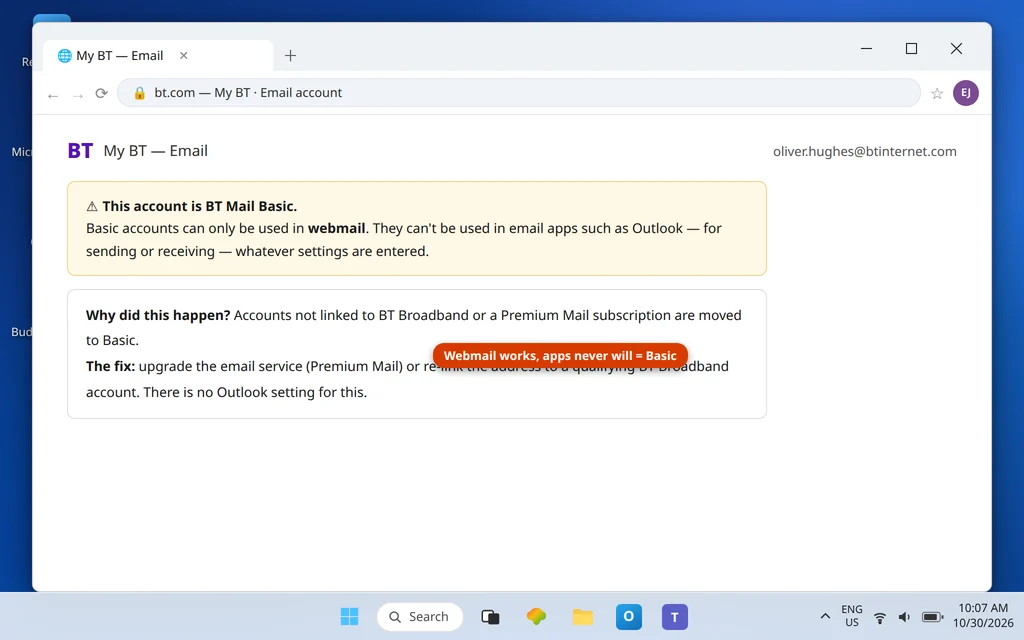
If webmail sends and receives happily but no email app can connect at all, suspect the account type before the settings. BT downgrades accounts that no longer qualify — principally addresses no longer attached to BT Broadband or a paid BT Premium Mail subscription — to BT Mail Basic, and Basic is webmail-only by design: it cannot be used in Outlook or any other email client, for sending or receiving, with any settings.
Check your account type in BT webmail / My BT. If it says Basic, there is no Outlook fix — the routes are upgrading the email service (Premium Mail) or returning the address to a qualifying BT Broadband account. This single check saves hours of port-swapping on an account that is working exactly as BT configured it.
Fix 4 — Client access switched off after a year of webmail-only use
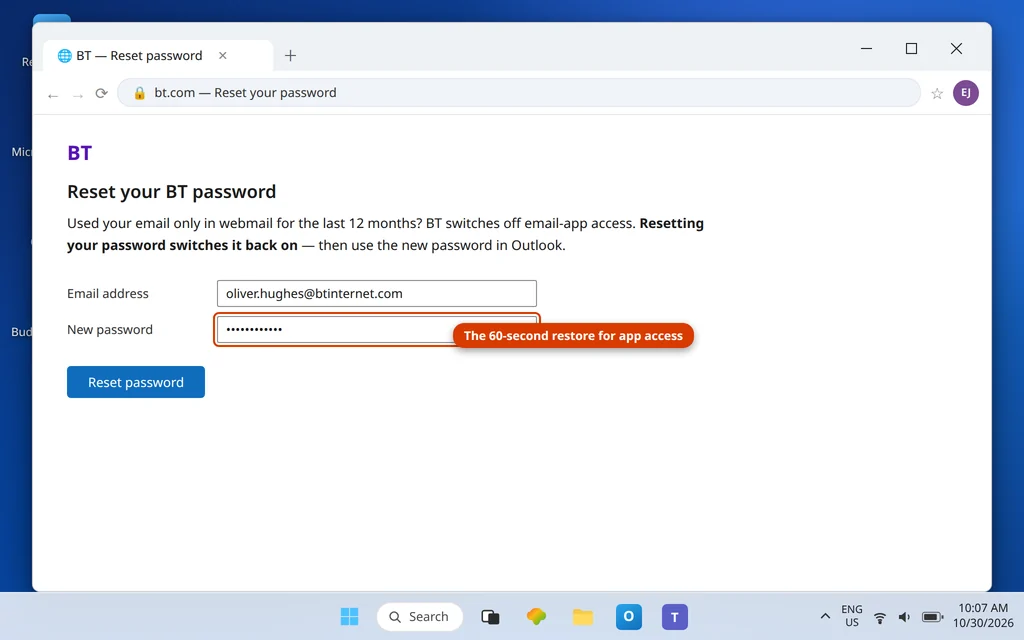
A second account-side switch exists: BT turns email-client access off for accounts that have only been used through webmail for 12 months. The account looks healthy on the web and dead in Outlook. BT’s remedy is pleasingly small: reset the account password, which re-enables client access. Do that on BT’s website, then update the password in Outlook and test both directions.
Fix 5 — New Outlook refusing to send: remove, re-add, check DMARC
In the new Outlook app, a known behavior pattern is an account that receives but will not send after an update or re-authentication. Remove the BT account from new Outlook and add it again fresh, entering the Fix 1 table manually. BT also actively advises senders whose Outlook mail is refused to check the domain’s DMARC alignment when mail is sent from a custom setup — if you send BT mail through any third-party tool or a personal domain arrangement, make sure its SPF/DKIM/DMARC are aligned, because misaligned mail is refused downstream even when Outlook “sent” it.
Fix 6 — Rule out a BT-side problem before you rebuild anything
If the settings, authentication and account type all check out and sending still fails identically on every device, stop editing and test the provider: sign in to BT Email on the web and send from there. If webmail sending fails too, the fault is BT-side — a service incident or an account-level sending restriction — and the only correct tool is patience or BT support; note the exact time and error for them. If webmail sends instantly while two different apps fail with the same account, look again at the one thing apps share that webmail does not: the password as typed into the apps (an old password saved in both, perhaps after a reset you did for Fix 4 and updated in only one place). Re-enter the current password in Outlook once, deliberately, before considering anything more drastic. Rebuilding the Outlook profile is the last resort, not the next step — on a BT account it almost never beats the checks above it in this list.
Fix 7 — Clear the Outbox and resend
As ever: settings first, then drag stuck messages from the Outbox to Drafts, open, Send. Work Offline on → restart → delete → off is the rescue for a message that will not budge.
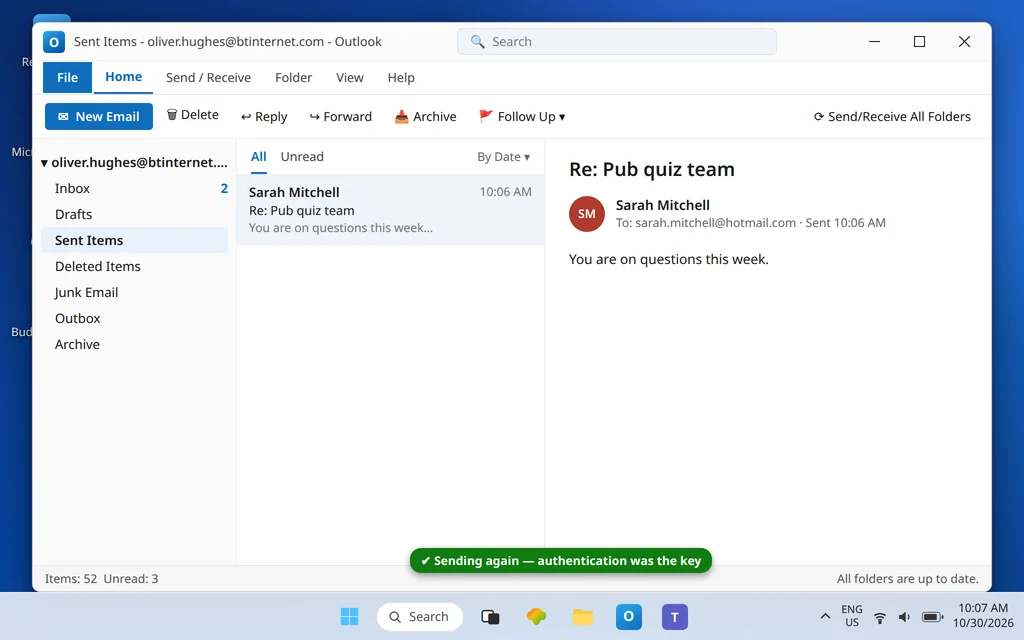
Confirm it worked
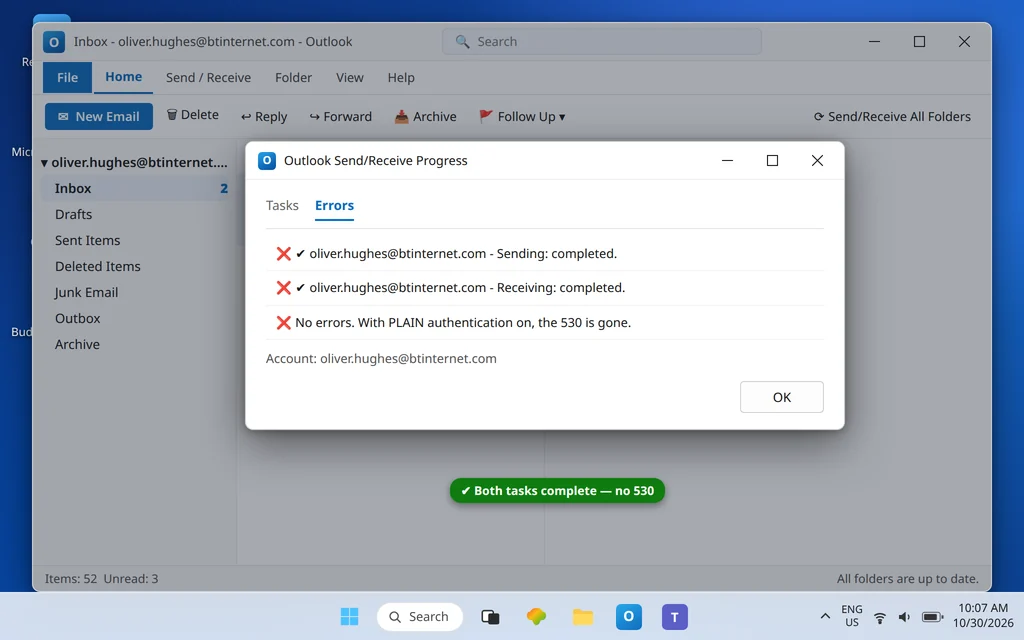
A test send leaves the Outbox, appears in Sent Items, and arrives at an outside address; a reply returns. Both directions clean, no 530.
How to stop it happening again
- Remember the pair: 465 + SSL + PLAIN auth. The 530 is always an authentication problem before it is anything else.
- Keep the account eligible. If the address matters, keep it attached to BT Broadband or Premium Mail so it never slides into Basic.
- Use the account in an app occasionally — or know that a password reset restores client access after a webmail-only year.
- No app password hunting. BT authentication is your normal password; any guide inventing a BT app password is recycling another provider’s instructions.
Frequently asked questions
What does BT error 530 mean when sending from Outlook?
It means the outgoing server refused an unauthenticated send: SMTP authentication is off, set to the wrong type, or undermined by SPA. Tick “My outgoing server requires authentication” (same settings as incoming), use PLAIN authentication where Outlook offers a choice, and make sure SPA is not enabled. The error clears immediately once the sign-in is right.
What are the correct BT email settings for Outlook?
One server for everything: mail.btinternet.com. IMAP incoming port 993 with SSL (not STARTTLS), POP3 port 995 SSL, SMTP outgoing port 465 with SSL, authentication required (PLAIN), SPA off, user name = your full address, password = your normal BT password. There is no BT app password.
Why does my BT email work in webmail but not in any app?
Two account-side possibilities, both real: the account has been downgraded to BT Mail Basic (webmail-only — no client can connect, and only an account change fixes it), or client access was switched off after 12 months of webmail-only use (a password reset switches it back on). Check the account type first; if it is not Basic, reset the password.
Can I use BT email in Outlook if I no longer have BT Broadband?
Only if the email account is on a paid tier that keeps app access — accounts that lapse into BT Mail Basic are webmail-only. If staying on BT email matters after leaving BT Broadband, the Premium Mail route is the supported way to keep Outlook access; otherwise plan a move of the address’s important mail before the downgrade lands.
New Outlook sends nothing but Classic works. What gives?
It is a recognized pattern on the new app: remove the BT account and re-add it with the manual settings from Fix 1, entering the table yourself rather than accepting detection. Also check DMARC alignment if the refusal happens downstream rather than in the app — BT specifically flags DMARC when Outlook-sent mail is rejected by receivers.
Is port 587 acceptable for BT SMTP?
BT’s headline setting is 465 with SSL, and that is what to use first. BT’s security guidance also permits 587 in some contexts; if a network blocks 465, 587 with encryption and PLAIN authentication is the fallback pair. What never works is any port with authentication off or SPA on — that is the 530 combination. Other Outlook codes are in the Error Codes hub.
Sending again — or pinned down to Basic? Contact us at servicedesk@howtofixerroronline.com or through our Contact page and tell us the exact error (530 wording helps), whether webmail sends, and what account type My BT shows. Never send us your password — we will never ask for it.