
Comcast Email Not Receiving in Outlook: The Xfinity Fixes
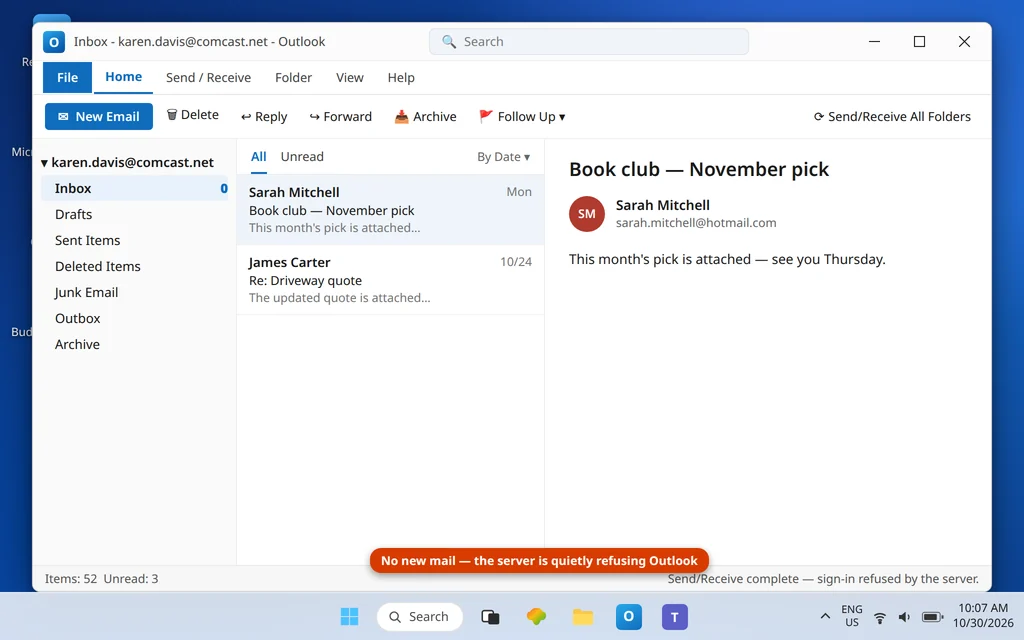
Comcast email in Outlook now fails in two completely different ways, because Comcast email itself now lives in two different places. Xfinity is migrating @comcast.net mailboxes to Yahoo Mail in phases (the rollout began in June 2025 and continues through 2026). If your mailbox has not migrated yet, it still runs on Xfinity’s own servers — and its signature Outlook killer is a webmail security setting almost nobody knows exists: the Third Party Access Security toggle. If your mailbox has migrated, it is effectively a Yahoo mailbox now — Yahoo servers, Yahoo app password — and every Xfinity-era setting in Outlook is wrong. If comcast email not receiving in outlook is your problem, the fix depends entirely on which of the two worlds your mailbox is in.
This guide covers both, starting with the one-minute check that tells you which world you are in. If you can receive but cannot send, the mirror guide is Comcast Email Not Sending in Outlook. For receiving problems across all account types, see Outlook Not Receiving Emails but Can Send.
Quick Answer: First find out whether your mailbox has migrated. Not migrated: sign in to Xfinity Email on the web, open Gear icon → Settings → Security, and tick the Third Party Access Security box that allows third-party programs to access your mail — with it unticked, Outlook is refused even with the right password. Then confirm Outlook uses
imap.comcast.net, port 993, SSL, with your normal Xfinity password. Already migrated to Yahoo: your settings are Yahoo’s —imap.mail.yahoo.comport 993 with a Yahoo app password — as covered in Fix 4.
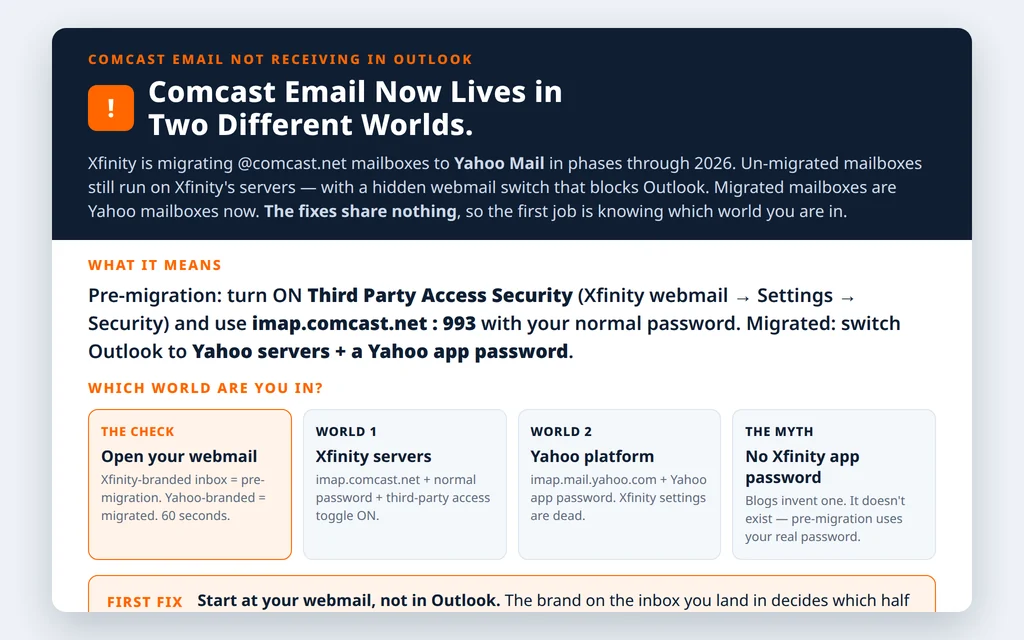
Table of Contents
Step 0 — Which world is your mailbox in? (60 seconds)
Sign in to your email on the web the way you normally would. If Xfinity redirects you into a Yahoo Mail experience (or you received Comcast’s migration emails and completed the move), your mailbox has migrated — skip to Fix 4. If you land in the classic Xfinity Email interface, you are pre-migration — Fixes 1–3 are yours. Your address, mail, folders and contacts did not change in the move; only the platform underneath did. (One migration footnote: Xfinity-side rules and settings do not transfer to Yahoo, so re-create any filters after a migration.)
Fix 1 (pre-migration) — Turn ON Third Party Access Security to fix comcast email not receiving in outlook
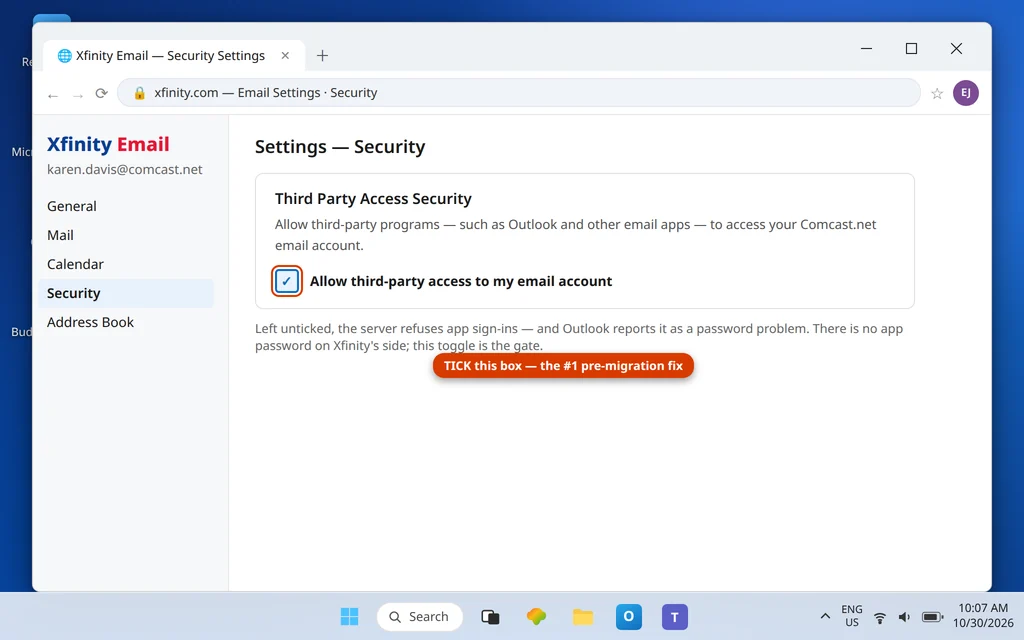
This is the fix that resolves most pre-migration receiving failures, and it is not in Outlook at all:
- Sign in to Xfinity Email on the web.
- Click the gear icon → Settings → Security.
- Find Third Party Access Security and tick the box to allow third-party programs (Outlook and other apps) to access your Comcast.net email.
- Return to Outlook and press Send/Receive.
With the box unticked, Xfinity refuses app connections outright — Outlook sees what looks like a password failure, and no amount of re-typing the (correct) password helps, because the password was never the problem. The same checkbox is documented in Xfinity’s support article on third-party email access.
Fix 2 (pre-migration) — Correct the Xfinity server settings
With the toggle on, confirm Outlook matches Xfinity’s published table:
| Setting | IMAP (recommended) | POP3 |
| Incoming server | imap.comcast.net | pop3.comcast.net |
| Port | 993 | 995 |
| Encryption | SSL/TLS | SSL/TLS |
| Outgoing server (SMTP) | smtp.comcast.net | smtp.comcast.net |
| SMTP port | 587 (TLS) — or 465 (SSL) | 587 / 465 |
| User name | Your Xfinity ID / full address | Same |
| Password | Your normal Xfinity password | Same |
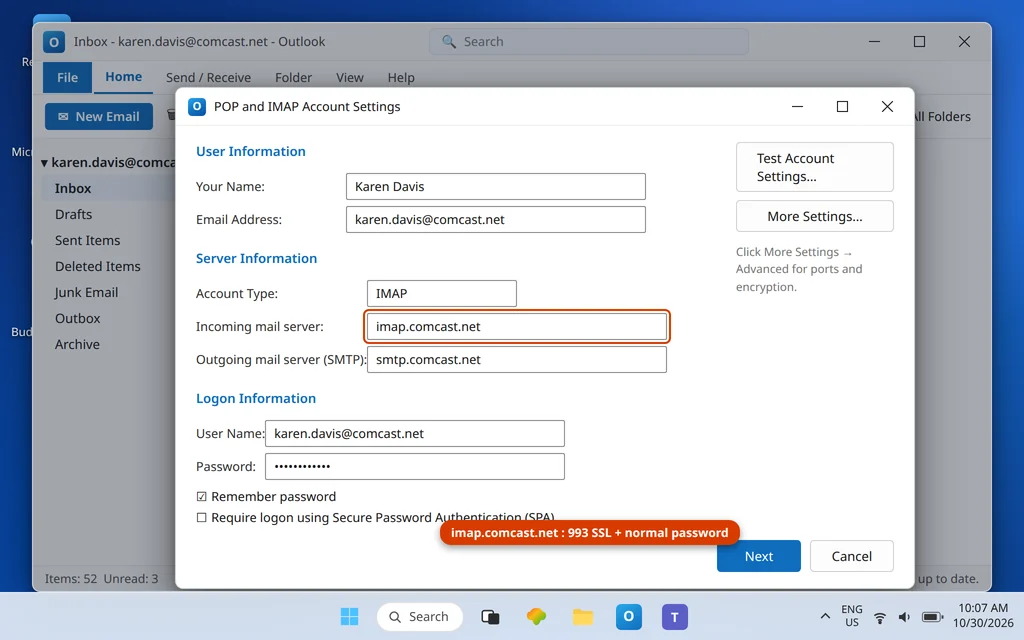
Two accuracy notes that save repeat failures. First: port 110 (POP) and port 25 (SMTP) are no longer supported — any ancient setup still using them is dead on arrival. Second: despite what some blogs claim, there is no Xfinity app password — pre-migration accounts authenticate with your ordinary Xfinity password once the Fix 1 toggle allows the app in. Do not go hunting for an app-password page on Xfinity’s site; it does not exist. Also leave Secure Password Authentication (SPA) off — it is not part of Xfinity’s setup.
Fix 3 (pre-migration) — Answer the password prompt once, correctly
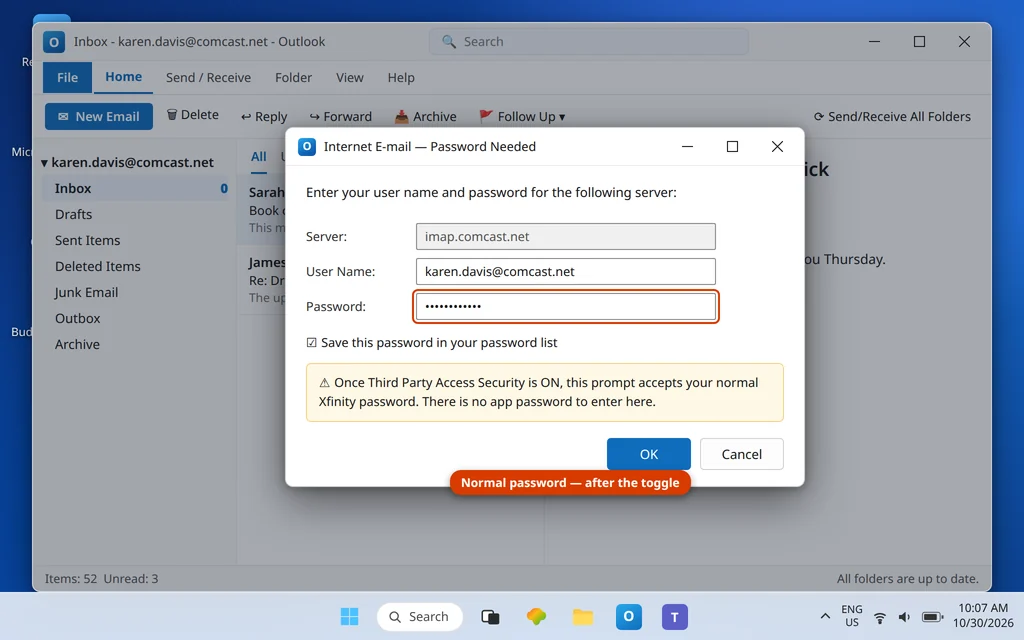
After the toggle and table are right, a lingering password prompt should accept your normal Xfinity password — tick Save this password and it should not return. A prompt that still loops usually means the toggle change has not propagated (give it a few minutes), or the account entry is damaged — in which case remove the account and re-add it manually with the Fix 2 table. IMAP mail lives on Xfinity’s servers, so re-adding loses nothing.
Fix 4 (migrated) — Your mailbox is a Yahoo mailbox now
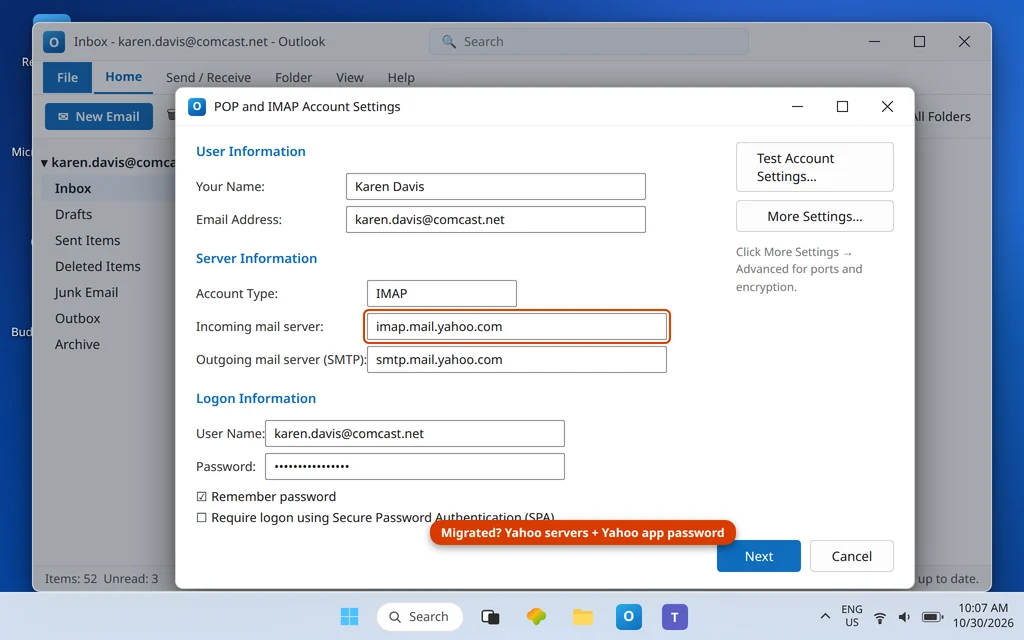
If Step 0 put you in the migrated camp, forget the Xfinity table. Your working settings are Yahoo’s:
| Setting | Value |
| Incoming server (IMAP) | imap.mail.yahoo.com: 993 SSL |
| Outgoing server (SMTP) | smtp.mail.yahoo.com: 465 or 587 |
| User name | Your full @comcast.net address |
| Password | A Yahoo app password |
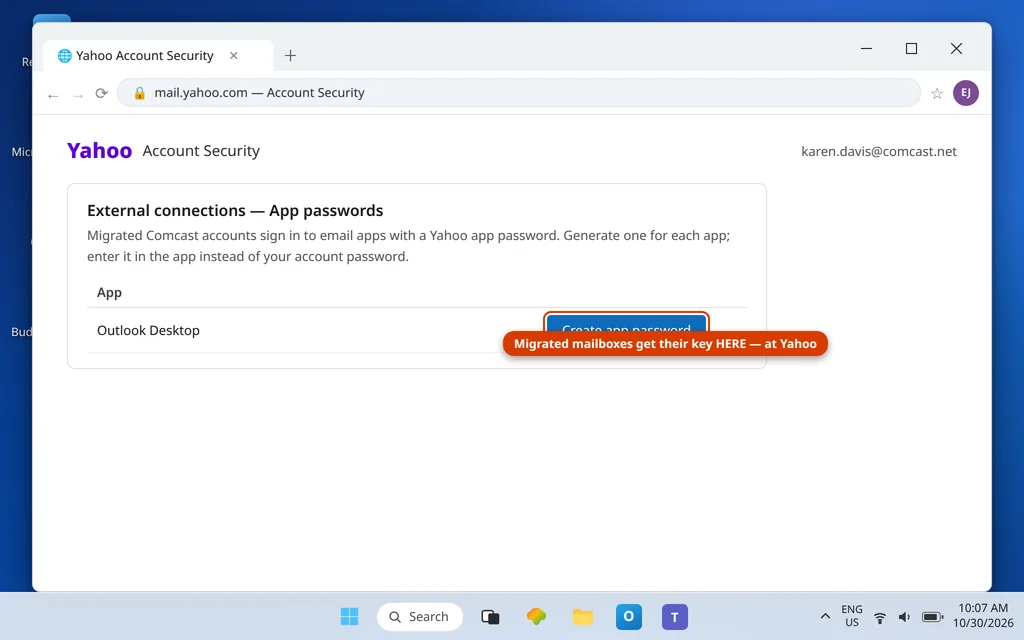
Generate the app password inside Yahoo Mail (profile → Overview → Security → App password → Generate), paste it into Outlook’s password field, and update the servers. Our Yahoo email not syncing in Outlook guide covers Yahoo-platform behavior in depth, and Add Yahoo and AOL Mail to Outlook walks the account-add screens.
Fix 5 — Both worlds: check the mailbox itself
Whichever world you are in, confirm the mailbox is healthy on the web: sign in (Xfinity Email or Yahoo Mail) and check for new mail, a near-full mailbox, and any security hold notice. A mailbox at quota refuses deliveries before Outlook is consulted, and a provider-side security hold blocks app sign-ins until you clear it in the browser.
Confirm it worked
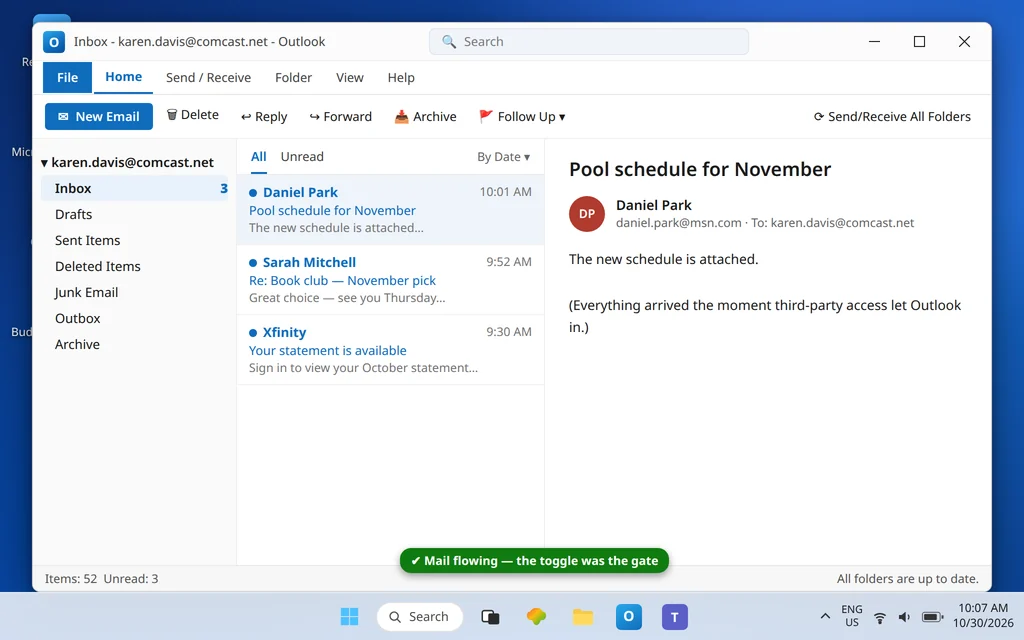
Press Send/Receive All Folders in Outlook. Pre-migration, the webmail messages download as soon as the toggle lets Outlook in; migrated, they arrive via Yahoo’s servers. Either way, the password prompt should stay gone across an Outlook restart.
How to stop it happening again
- Remember the toggle exists. Any future “Outlook suddenly can’t sign in” on a pre-migration account: check Third Party Access Security before touching Outlook.
- Watch for your migration notice. When Comcast moves your mailbox, Outlook breaks on the spot until you switch to the Yahoo table + app password (Fix 4). The notice email is your cue, not a surprise.
- Do not create new @comcast.net addresses expecting Outlook support — Comcast stopped issuing new comcast.net accounts in June 2024; the platform’s future is the Yahoo side.
- Keep the tables straight: Xfinity servers + normal password + toggle (pre-migration) vs Yahoo servers + app password (migrated). Mixing halves of the two tables is the classic half-fix.
Frequently asked questions
What is the Third Party Access Security setting, and why does Outlook need it?
It is an Xfinity webmail security switch (Gear → Settings → Security) that controls whether programs other than Xfinity’s own webmail — Outlook, phone apps, other clients — may sign in to your mailbox. Unticked, Xfinity refuses app connections even when the password is correct, which makes the failure look like a password problem. Tick it, and Outlook connects with your normal password.
Has my Comcast email account moved to Yahoo?
Check your webmail: if signing in lands you in Yahoo Mail (or you completed Comcast’s migration prompts after their notice emails), yes. The migration is phased from June 2025 through 2026, so neighbors can be in different worlds at the same time. Your address, messages, folders and contacts carry over unchanged; Xfinity-side rules and settings do not.
What are the correct Comcast IMAP settings for Outlook?
Pre-migration: incoming imap.comcast.net port 993 SSL (POP: pop3.comcast.net port 995), outgoing smtp.comcast.net port 587 TLS or 465 SSL, your Xfinity password, and the Third Party Access Security toggle ON. After migration to Yahoo: incoming imap.mail.yahoo.com port 993, outgoing smtp.mail.yahoo.com 465 or 587, and a Yahoo app password instead of your normal password.
Do I need an app password for Comcast email in Outlook?
Only if your mailbox has migrated to Yahoo — then yes, a Yahoo app password. On an un-migrated Xfinity mailbox, no: there is no Xfinity app password, and sites telling you to generate one are recycling generic advice. Pre-migration Outlook uses your normal Xfinity password once third-party access is allowed.
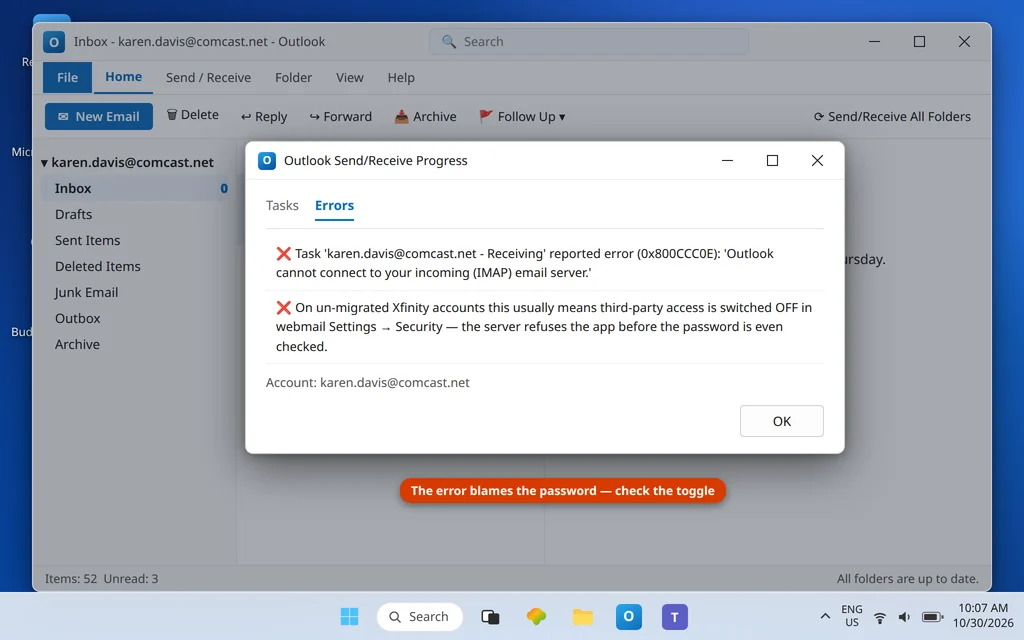
Outlook shows 0x800CCC0E or repeated password prompts for my comcast.net account. Which fix?
Start with the migration check (Step 0). Pre-migration, 0x800CCC0E plus prompt loops almost always trace to the unticked Third Party Access toggle; migrated, they mean Outlook is still aimed at Xfinity’s servers with an Xfinity password instead of Yahoo’s servers with a Yahoo app password. More codes live in the Error Codes hub.
Will my email address or my stored mail change when Comcast migrates my mailbox?
No. Your @comcast.net address stays identical, and your messages, folders and contacts move across to Yahoo unchanged — that continuity is the design of the migration. What does not move are Xfinity-side rules and settings (filters, auto-replies and the like), which you will need to recreate in Yahoo Mail, and what does change underneath is everything Outlook touches: the servers and the kind of password it must present. That is why the same mailbox needs a settings change the day it migrates even though, from the web, nothing looks different.
My mail receives on my phone but not in Outlook. Why the difference?
Phone apps are also “third-party programs,” but many were allowed earlier or re-authorized during setup. On a pre-migration account, one toggle governs every app — if the phone works and Outlook does not, compare which credential each is using and re-check the toggle; on a migrated account, the phone may have completed the Yahoo switch while Outlook still holds Xfinity settings.
Receiving again — or unsure which world your mailbox is in? Contact us at servicedesk@howtofixerroronline.com or through our Contact page and tell us what your webmail sign-in looks like (Xfinity or Yahoo branded) and the exact error Outlook shows. Never send us your password or an app password — we will never ask for either.
Pingback: Comcast Email Not Sending in Outlook? SMTP Port + Toggle Fixes